AI-Powered Careers Chatbot
A conversational candidate screening tool built into a careers page that collects candidate profiles through natural dialogue, matches them to open roles, and submits structured data directly into Lever — complete with source tagging, deduplication, and a live data console.
The idea
Recruiting teams spend a lot of time on early-stage phone screens — calls that often end quickly because the candidate simply isn’t a fit. This prototype explores a different model: what if a careers page could do that first-pass qualification conversationally, while simultaneously making candidates feel helped rather than filtered out? The framing matters. This isn’t a bot that replaces human contact — it’s a career coach that helps candidates put their best foot forward before they ever talk to a recruiter.
How it works
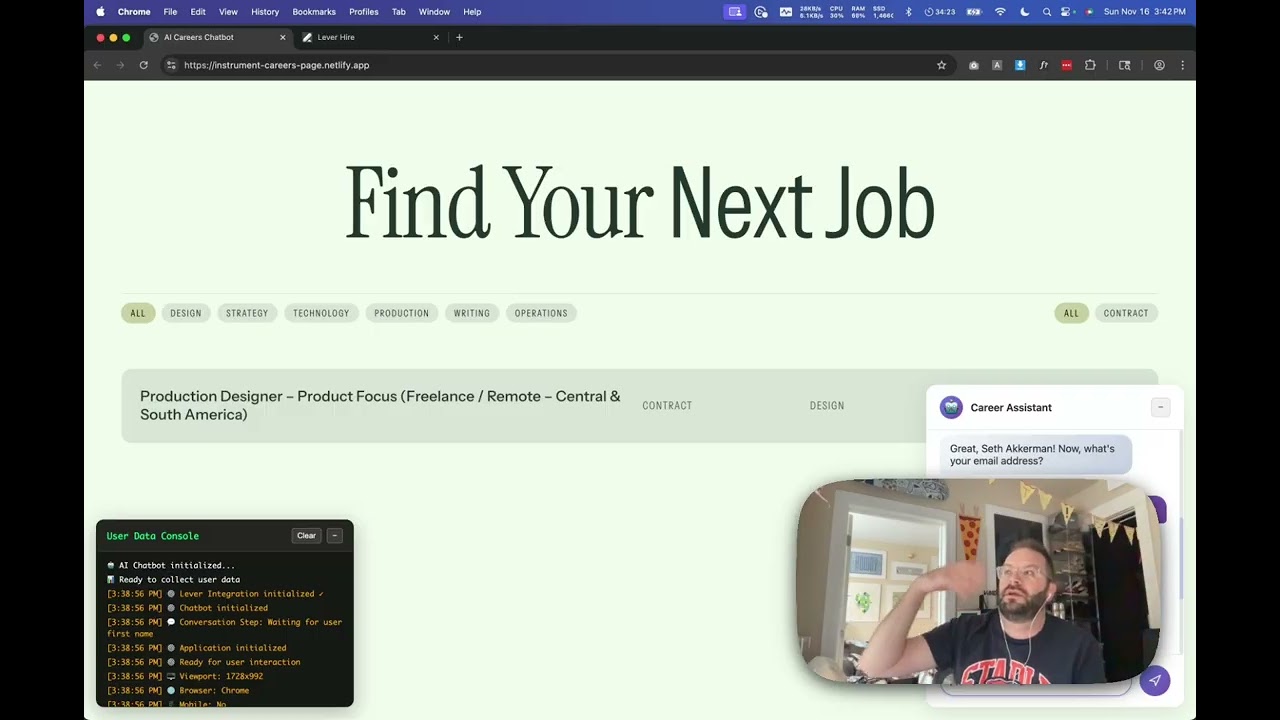
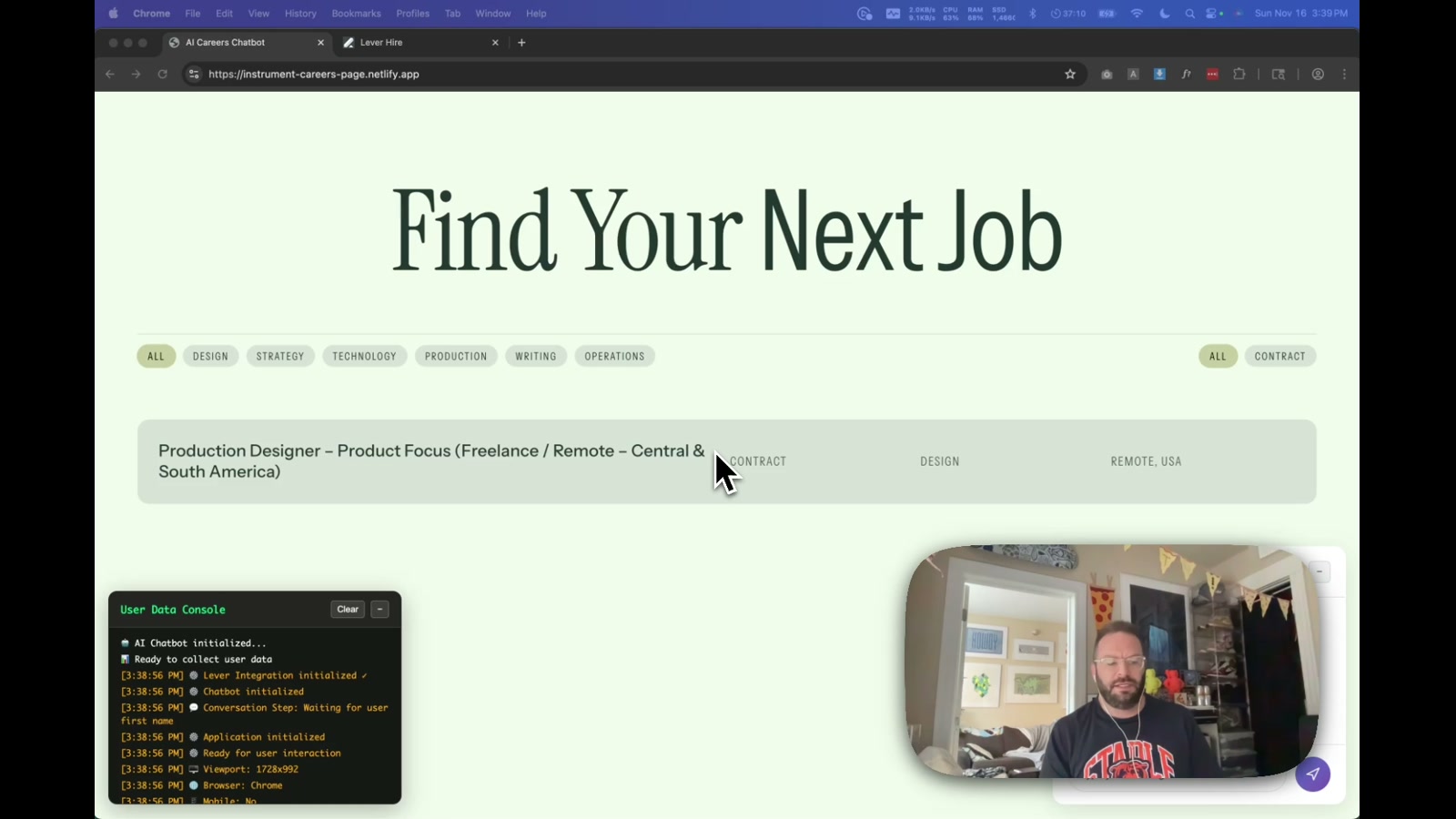
The chatbot lives as an overlay on the careers page — a glassmorphism chat panel in the bottom-right corner, with a real-time data console in the bottom-left showing exactly what’s being collected. The conversation flow collects name, email, skills, salary expectations, and location through natural dialogue. An OpenAI API integration handles skill extraction and job matching, with graceful keyword-based fallbacks if the LLM isn’t available.
The real trick is the Lever API integration. When a candidate completes the conversation, their profile is formatted into Lever-compatible data — skills become structured tags (skill:javascript, category:design), experience levels are extracted, salary ranges are preserved in custom fields, and every submission is tagged source:ai-chatbot so recruiters can filter by acquisition channel. A Netlify serverless function handles the API proxy to avoid CORS issues, and a duplicate-check endpoint prevents the same email from creating multiple records.
The returning candidate flow
One of the more interesting moments in the demo is what happens when a known email is entered. The chatbot recognizes the candidate and surfaces what it already knows about them — a check-in moment that feels genuinely personal. “Hey, I recognize you, welcome back” hits differently than a static FAQ page. That recognition layer, pulling from existing Lever records, opens up use cases around candidate re-engagement and pipeline warm-up that most careers pages don’t even attempt.
Why it matters
This is a proof of concept for how recruiting infrastructure can be designed, not just configured. The same pattern applies well beyond hiring: onboarding flows that read from and write to a CRM in real time, waitlist tools that qualify leads conversationally before a sales call, or intake forms for agencies that capture structured client data through chat. The key architectural insight — LLM for understanding, serverless functions for secure API proxying, and a structured data layer for downstream tooling — is reusable across a lot of contexts. The chatbot just happens to be the most human-feeling entry point into what is otherwise a data pipeline.
Applying this to your project
-
Clone the whole
ai-careers-chatbot/folder as-is — there’s no build step to strip out beyondbuild.js, and nonode_modulessince it’s plain HTML/CSS/JS. Discardtest-lever-connection.html,WARP.md, andVERIFY-LEVER.md— those were internal debugging aids, not part of the working app. KeepREADME.md,LEVER-INTEGRATION.md,LEVER-SETUP.md, andNETLIFY-DEPLOY.mdas setup references. -
Environment variables are set in the Netlify dashboard (Site Settings → Environment Variables), not committed to the repo:
OPENAI_API_KEY— from platform.openai.com, optional (the bot degrades gracefully to keyword matching injs/chatbot.jsif this is missing)LEVER_API_KEY— from your Lever account’s API settings, required only if you want real ATS submissionLEVER_PERFORM_AS_USER— a Lever user ID, fetched viacurl -u YOUR_KEY: https://api.lever.co/v1/users(seeLEVER-SETUP.md)- For local testing without Netlify, copy
config/llm-config-example.jstoconfig/llm-config-local.jsand paste a real key there — it’s gitignored so it won’t leak.
-
Swap out to make it your own:
assets/careers-page-screenshot.png— replace with your own careers page screenshot; it’s just a static background image, not a live page.this.availableJobsarray injs/chatbot.js— currently hardcodes a single “Production Designer” role with a keyword list; replace with your own open roles and their matching keywords.- The bot’s opening line and copy live in
index.html(chat-messagesblock) and throughoutjs/chatbot.js’s conversation states. config/lever-config.js→jobOpportunityMapping— map your job titles to real Lever opportunity IDs if you want auto-application instead of just roster collection.css/styles.css— glassmorphism theme, colors, and positioning of the two floating panels.
-
Critical integration points where your data plugs in:
netlify/functions/submit-to-lever.jsandcheck-lever-candidate.jsare the only places that touch your ATS credentials — if you use a different ATS (Greenhouse, Ashby, etc.), rewrite these two functions and the calling code injs/lever-integration.js’ssubmitCandidate()/checkExistingCandidate().js/llm-service.js’sextractSkills()andevaluateJobMatch()prompts define what the model is asked to return as JSON — adapt the system prompts here if you change what data you collect.netlify.toml’s[build] command = "node build.js"is what injects your API keys intoconfig/llm-config-prod.jsandconfig/lever-config-prod.jsat deploy time — any new secret needs a matching block added tobuild.js.
-
Gotchas found while reading the code:
- The OpenAI key is injected into a client-side, publicly-readable JS file (
config/llm-config-prod.js) bybuild.js— it is not server-side-only, so treat it as a low-privilege/rate-limited key, unlike the Lever key which stays server-side in the Netlify Function’sprocess.env. netlify/functions/case-studies.jsreads from a hardcoded public Google Doc ID and appears to be an unrelated, half-finished experiment sitting in the same functions folder — don’t assume everything innetlify/functions/is part of the chatbot flow.- Lever’s
perform_asuser ID isn’t optional in practice — omittingLEVER_PERFORM_AS_USERcauses submissions to fail with a permissions error even though the code technically runs without it. submitCandidate()always callscheckExistingCandidate()first and silently falls back to “doesn’t exist” on any network error, so a flaky Lever API call could create duplicate candidates instead of updating existing ones.
- The OpenAI key is injected into a client-side, publicly-readable JS file (
Other ways to repurpose this
Product Design
- Use the same “chat instead of a form” pattern to onboard new users into a product, collecting the handful of details you need through conversation rather than a wall of input fields.
- Let the system quietly try an AI-powered version of a feature first and fall back to a simpler rule-based version automatically if the AI step isn’t available, so the experience never breaks even when a service is down.
Web Design
- Layer an always-available assistant into an existing static page without touching the page itself, useful for adding help or guidance to a client site that shouldn’t otherwise be rebuilt.
- Show visitors a live, real-time log of exactly what information is being collected about them as they interact, which builds trust through transparency rather than a hidden privacy policy.
Marketing
- Turn a careers or contact page into a lightweight lead-qualification conversation that automatically sorts promising contacts into a follow-up pipeline versus a general “keep in touch” list.
- Automatically check whether someone has already reached out before, and update their existing record instead of creating a duplicate, so a campaign never spams the same lead twice.
Branding
- Give an AI assistant a distinct, on-brand personality and visual treatment (tone of voice, avatar, color language) so it reinforces the brand rather than feeling like a generic bolted-on widget.
- Preview exactly what data or message would be sent out before anything actually goes out, so a brand can catch an awkward or off-tone automated message before a real contact ever sees it.
Dependencies
- Role
- Creative Technologist
- Tools
- OpenAI API Lever API Netlify Functions Vanilla JavaScript HTML CSS Netlify
- Metrics
- End-to-end candidate submission pipeline: chat to Lever CRM in under two minutes, with source tracking and duplicate detection built in.