Interactive p5.js Playground
A live-editable creative coding playground built around generative geometry, designed to make p5.js approachable for designers
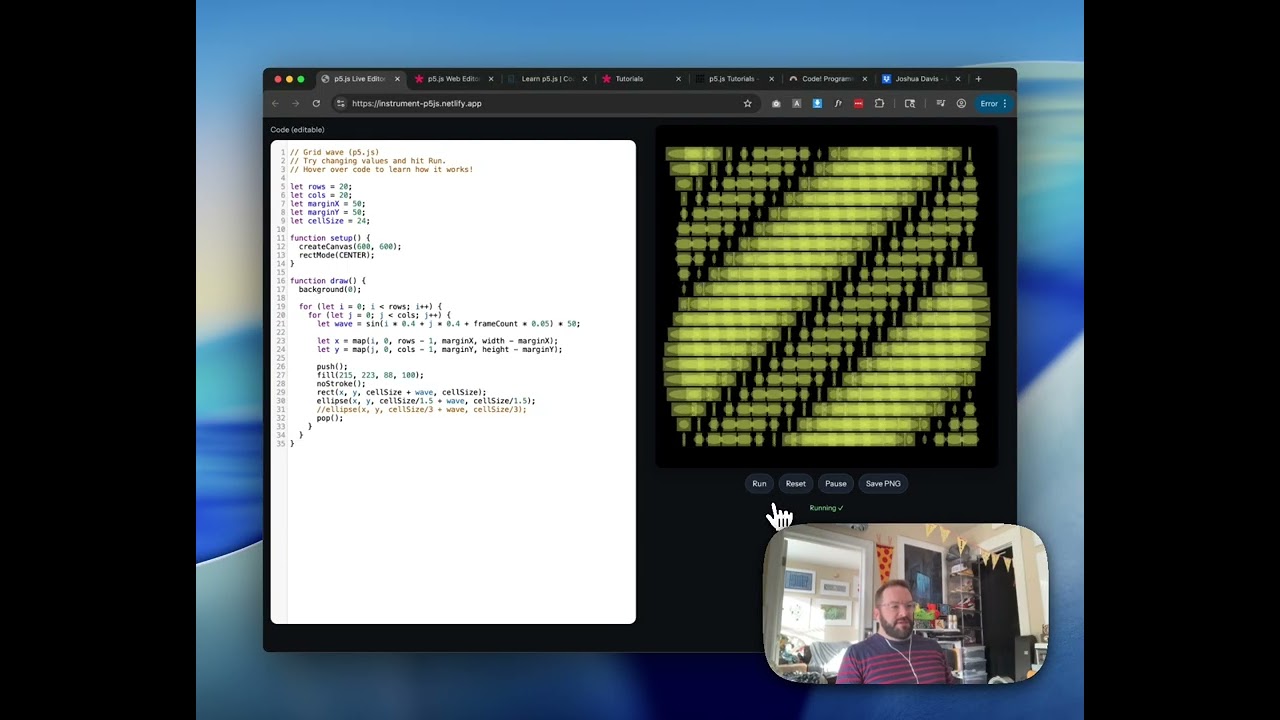
This started as a lunchtime project — I wanted to make an easier on-ramp into p5.js for people who might be curious about creative coding but don’t know where to start. Instead of pointing at a blank editor and saying “good luck,” I built a playground around something visually familiar: overlapping circles arranged in a grid, inspired by the geometry of our logo. The code is fully editable right in the browser, and the canvas updates live so you can see exactly what each change does.
How it works
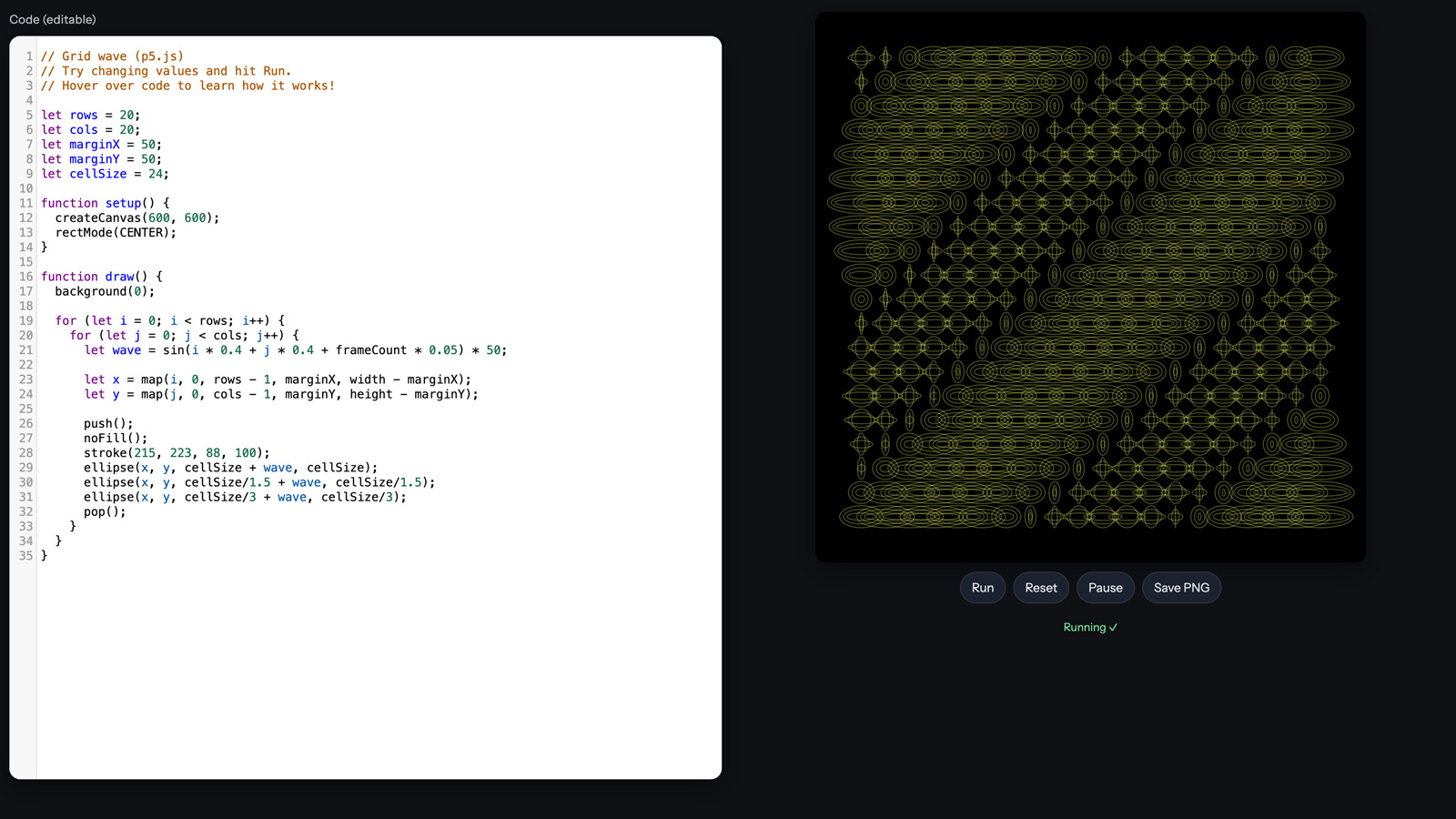
The base sketch draws a grid of rows and columns, maps x and y positions through sine and cosine functions to create a wave animation, and renders three concentric ellipses at each grid point. That overlapping is where it gets interesting — the interference patterns between the circles create these emergent shapes that are way more complex than the simple code producing them. You can pause the animation, play it, or save out a PNG of whatever state you like.
Making it learnable
The key thing I wanted to get right was the tooltips. You can hover over different parts of the code and get plain-language explanations of what that line does and suggestions for what you could change. Want to swap circles for rectangles? Change ellipse to rect. Want to see what happens with 100 columns instead of 10? Change the number and hit run. Want to go from outlined shapes to filled ones? Switch noFill to fill and stroke to noStroke. Every edit is immediately visible, and there’s a reset button to get back to the default state when things go sideways.
The bigger picture
Once someone gets comfortable tweaking values in this playground, the jump to p5js.org’s full editor feels a lot less intimidating. I also pulled together a bunch of free resources — Coding Train, p5.js tutorials, Happy Coding, Codecademy — and I’m sharing the three Processing courses from Joshua Davis that originally got me into generative work years ago. p5.js is basically Processing but on the internet, so everything translates. The whole point is lowering the barrier from “I don’t know how to code” to “oh wait, I just changed a number and made something cool.”
- Role
- Creative Technologist
- Tools
- p5.js JavaScript Generative Art Creative Coding
- Metrics
- Fully editable in-browser with live preview