Claude AI Assistant for After Effects
An After Effects extension that lets you prompt Claude directly inside the app — using the AE expression and script API to animate layers, add keyframes, and manipulate compositions through natural language
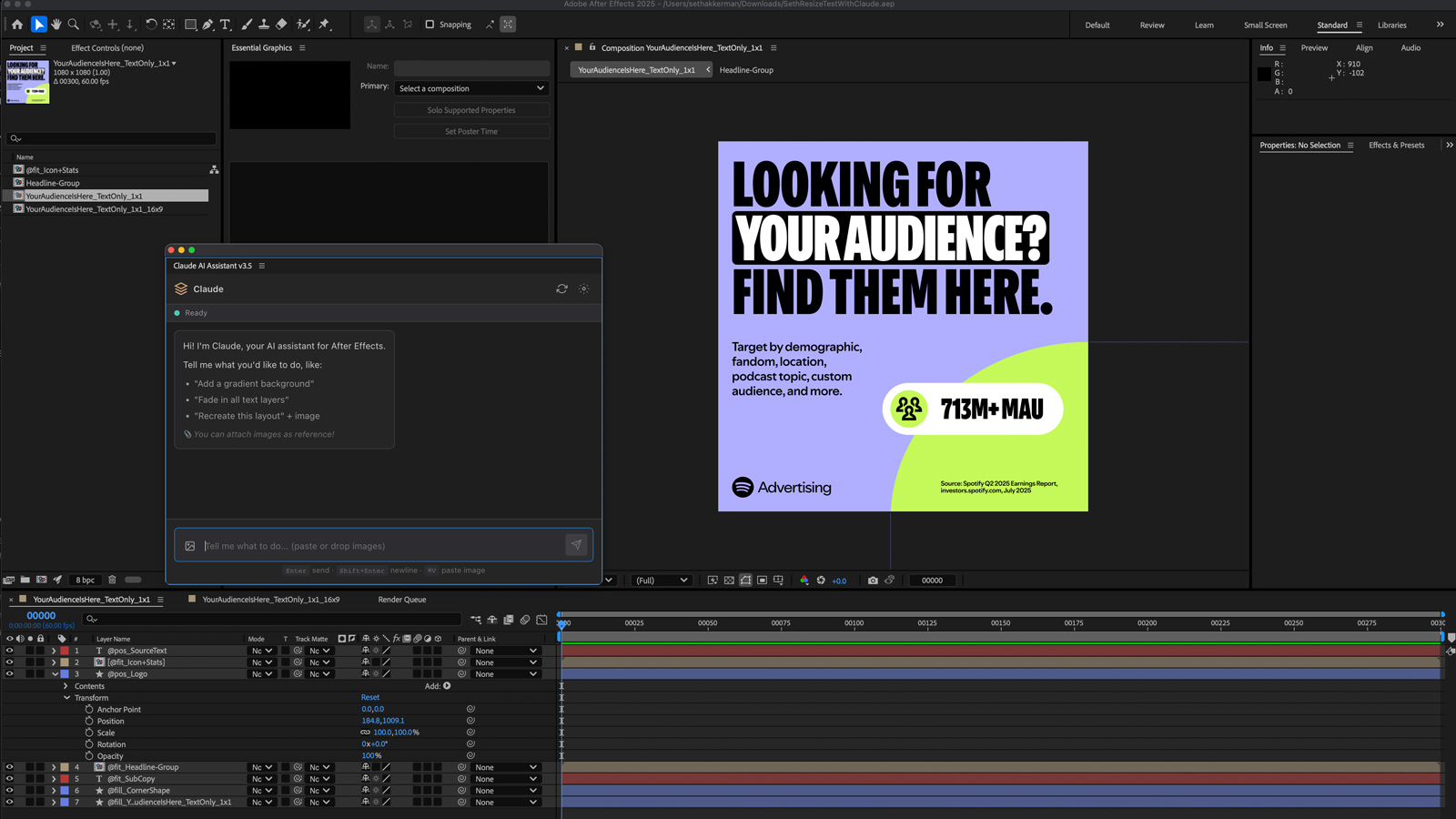
I’d seen a few After Effects scripts floating around that wired up AI assistants inside the app, and I wanted to see how far the expression and script API could actually be pushed. The result is a CEP extension that puts Claude directly inside After Effects — accessible via Window > Extensions > Claude AI Assistant — and lets you describe what you want the timeline to do in plain English.
What it can do
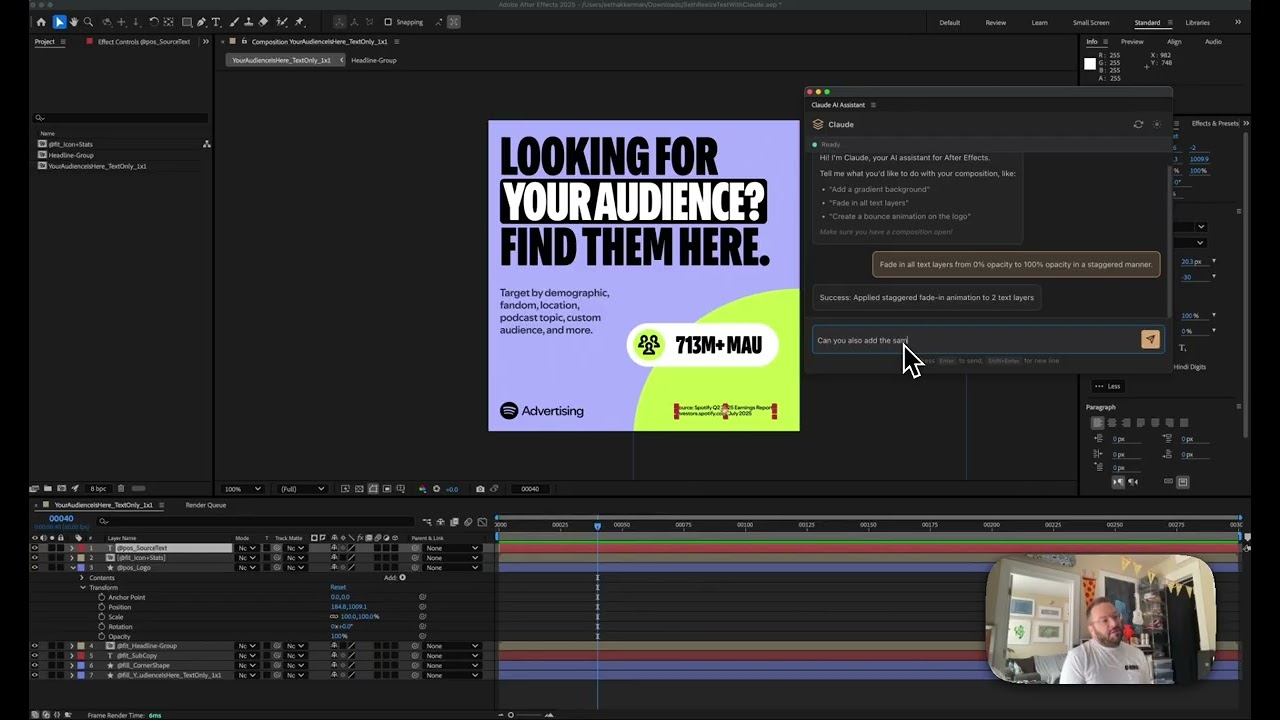
The clearest wins are the things the AE scripting API handles reliably: animating layers, adding keyframes, adjusting opacity, staggering animations across a sequence. Ask it to fade in all text layers from 0% to 100% opacity in a staggered manner and it does exactly that — scans the comp for text layers, adds the keyframes, spaces them out. You can see the result in the timeline immediately.
It understands the layer structure of your composition, which matters. If a text layer is nested inside a group, it knows that. If you want to target only the top-level text layers, it figures that out without you having to specify it manually.
Where it gets interesting (and experimental)
The more ambitious requests — like creating a new 16:9 composition using an existing 1:1 comp as a layout reference and repositioning elements accordingly — start to push against the edges of what the scripting API can cleanly express. Some of those operations are less script and more editorial judgment, and that’s where you hit partial results or errors. It’s genuinely exploratory territory.
But the partial results are still interesting. The composition gets partially built. Elements move. The direction is right even when the execution isn’t complete. That tells you something about where the ceiling is and what the right prompt structure might look like to get past it. The foundation is solid — the question is how much of After Effects’ behavior can be reliably described and executed through the scripting layer alone. Still figuring that out.
Applying this to your project
-
What to clone vs. discard. Copy the whole
ClaudeAE 3.7/folder — that’s the actual extension (index.html,css/styles.css,js/main.js,js/CSInterface.js,jsx/host.jsx,CSXS/manifest.xml,system-prompt.txt). Also keepbuild-zxp.sh/build-zxp.batandREADME-BUILD.mdif you want to package it as a distributable.zxp. You can discardClaudeAE 3.7.zip,build/, andcertificates/— those are generated build artifacts, not source; runningbuild-zxp.shrecreates them. -
API key setup. There’s no
.envfile anywhere in this project — the Anthropic API key is entered by the end user directly in the extension’s Settings modal (the gear icon) and stored inlocalStorageunder the keyclaude_api_key(seeCONFIG.STORAGE_KEYS.API_KEYinjs/main.js). If you adapt this for a different API or want to ship a default key, do not hardcode it intomain.js— anything in the CEP panel’s JS is trivially readable by anyone who unzips the.zxp. -
What to rebrand. Change
ExtensionBundleId,ExtensionBundleName, and the<Menu>label inCSXS/manifest.xml— this is what shows up in the host app’s Window > Extensions menu. Swapicons/icon-dark.pngandicons/icon-light.png(these are the panel icons After Effects displays). Rewritesystem-prompt.txtentirely — this file defines the assistant’s persona and instructions and is loaded fresh on every session, so it’s the single highest-leverage file to edit for a different use case. UpdateAPP_VERSIONinjs/main.jsand the version strings inmanifest.xmltogether (the build script reads the version frommanifest.xml, not frommain.js). -
Integration points — where your own logic plugs in. The two places that are specific to After Effects are: (a)
getCompositionContext()injs/main.js, which builds the JSON blob describing the active comp, selected layers, and effects that gets sent to Claude as context — to adapt this for a different host app (Premiere, Photoshop, InDesign) you’d rewrite this function’s ExtendScript to walk that app’s object model instead; and (b)jsx/host.jsx, which is the ExtendScript file actually executed inside the host app viaCSInterface.evalScript()— any AE-specific automation helpers belong here, not inmain.js. The<Host Name="AEFT" .../>line inCSXS/manifest.xmlis what restricts the panel to After Effects; change it to target a different Adobe app. -
Gotchas found in the code.
- The fetch call to
api.anthropic.comsets the headeranthropic-dangerous-direct-browser-access: true— this is required because CEP panels are effectively browser contexts making a direct client-side API call with no backend proxy. If you don’t want end users’ API keys and prompts going straight from their machine to Anthropic with no intermediary, you’ll need to add a proxy server and remove this header. - Conversation history is capped at the last 20 messages (see the slice in
callClaude()) and prompt caching is toggled via theanthropic-beta: prompt-caching-2024-07-31header — if you upgrade to a newer Anthropic SDK/API version, check whether this beta header is still needed or has been promoted to stable. - The model returned code is stripped of markdown fences with a regex (
cleanedCodeinhandleSend()) before being run — if your prompt format changes, that regex needs to keep matching whatever fence style the model actually returns, or raw markdown will geteval’d as ExtendScript. build-zxp.shgenerates a self-signed certificate by default (certificates/ClaudeAE.p12), which means users installing the.zxpwill see an “unknown publisher” warning; for public distribution you’d swap in a purchased code-signing cert per the instructions inREADME-BUILD.md.- There is no lockfile, no bundler, and no
node_modules— everything injs/is loaded directly as a<script>tag inindex.html, so if you add a dependency you must vendor it as a plain file and add a<script>tag rather thannpm installing it.
- The fetch call to
Other ways to repurpose this
Product Design
- An assistant that actually looks at what’s already in front of someone — their current file, their current selection — before it suggests anything, instead of giving generic advice blind.
- Letting someone see exactly what a change will look like and approve it before it actually happens, rather than making the change automatically and hoping it’s right.
Web Design
- Turning a simple web page into a standalone app someone can install on their own computer, with no hosting or server required.
- Automatically shrinking and cleaning up images the moment someone uploads them, so oversized files never slow down the experience.
Marketing
- Keeping an assistant’s personality, tone, and instructions in one plain, editable document, so a non-technical person can reshape how it talks without needing a developer.
- Reusing the same long brand brief across many requests instead of repeating it every time, so a client’s voice and guidelines stay consistent at a lower ongoing cost.
Branding
- Re-skinning the exact same underlying tool with a new name, icon, and voice for a different client in minutes, instead of building something new each time.
- Giving people a running history of everything they’ve previously generated, so past work is always easy to find and reuse rather than starting over.
Dependencies
- Role
- Creative Technologist
- Tools
- After Effects Scripting API After Effects Expressions Claude JavaScript CEP Extensions
- Metrics
- Natural language control over keyframes, layer animation, and composition structure without writing a single expression