Afterpay Campaign Generator
A custom Figma plugin that generates entire campaign asset libraries from a Google Spreadsheet and Drive folder — cutting production time and cost by more than half
Campaign production at scale is a volume problem. You have dozens of ad formats, multiple markets, rotating headlines, different merchant images — and someone has to manually populate every frame. It’s the kind of work that’s hard to scope, easy to underestimate, and almost entirely mechanical. For Afterpay, we built a Figma plugin that eliminates that mechanical layer entirely.
How it works
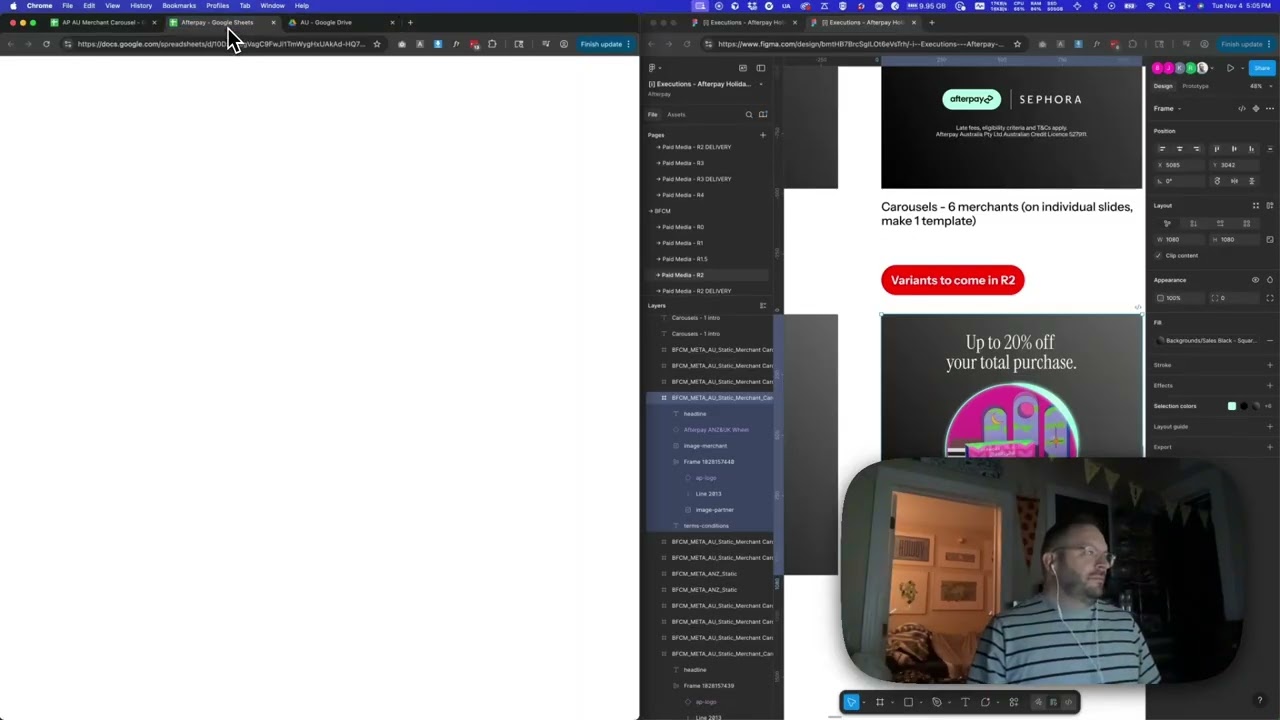
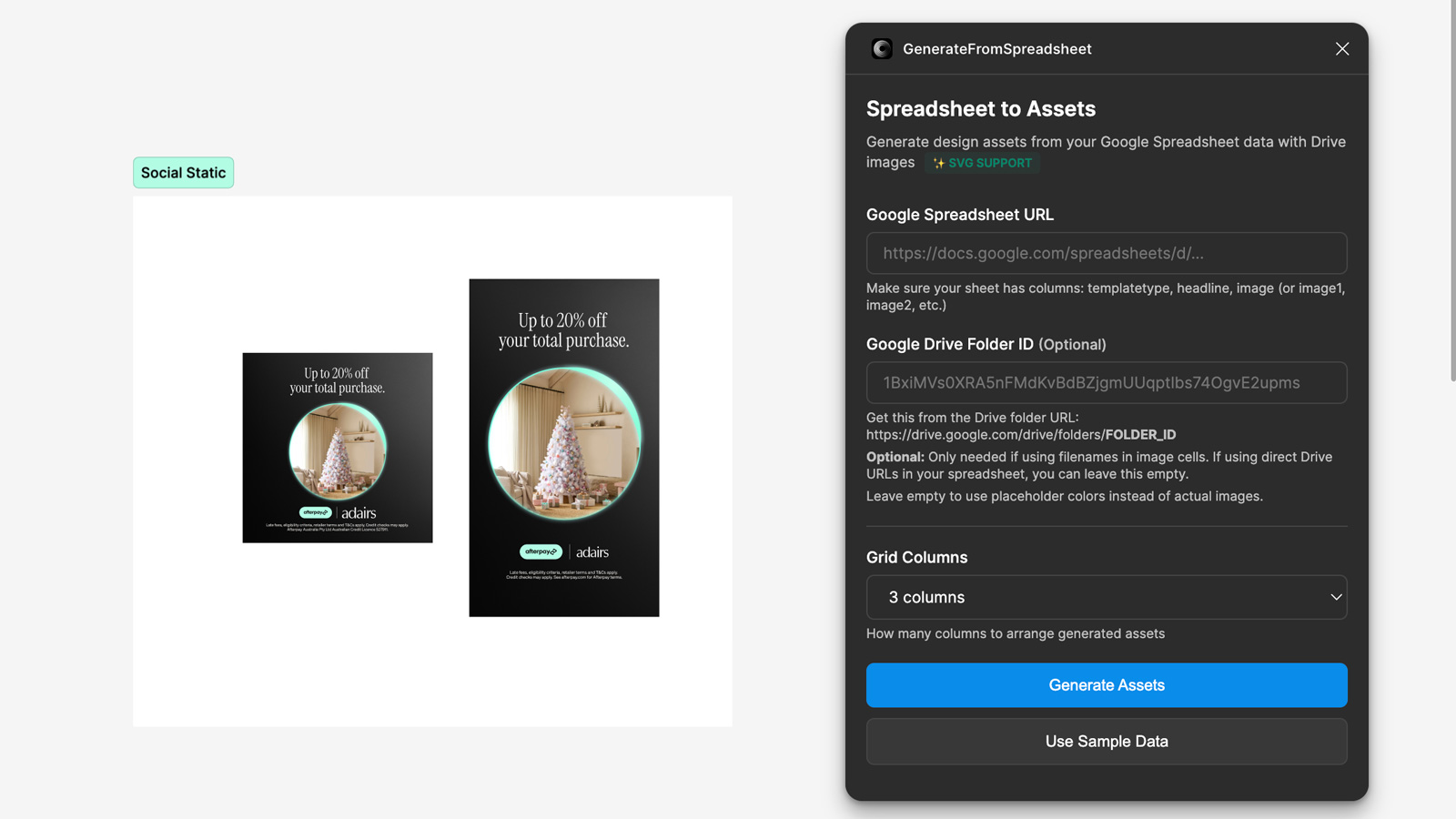
The system is built on a simple naming convention: the template name in the spreadsheet matches the frame name in Figma, and the column names match the layer names. That’s the whole contract. You set up your Figma frames with named layers — headline, image, merchant, terms and conditions — and your spreadsheet columns mirror those names exactly. Point the plugin at a spreadsheet URL and a Google Drive folder, hit go, and it rips through every row, finds the matching frame, replaces each layer with the corresponding content, and moves on. If a template doesn’t have a particular layer, it skips it gracefully. No crashes, no manual cleanup.
The piece that required more careful engineering was the connection between Google and Figma. Rather than asking users to manage API keys or authenticate manually each session, we built a cloud service with a dedicated Google IAM service account that acts as a trusted bridge between the two platforms. You share your spreadsheet and Drive folder with that service account — viewer access is enough — and the handshake is established. The plugin inherits those permissions during the design session, so images and data pull in securely without ever leaving the client’s own Drive environment. Both the client and the agency can work from the same spreadsheet and folder, which keeps everyone aligned on the source of truth.
The numbers
The first time we ran this against a real campaign, someone on the team pulled the comparison: scoping the same job without the tool would have cost $56,620 and taken 400 hours. With the tool, it came in at $20,615 and 150 hours. That’s $36,005 saved and 250 hours returned to the team — a 63.6% cost reduction on a single production run.
That’s not a marginal improvement. That’s a fundamentally different way to staff and scope a campaign.
Applying this to your project
-
Clone the plugin shell, decide on one backend. Copy
manifest.json,code.ts,ui.html,tsconfig.json, and the rootpackage.json— these are the actual Figma plugin. The repo ships two parallel backend implementations:netlify/functions/drive-proxy.js(OAuth2 refresh-token auth, toggled on via the “useNetlify” checkbox inui.html) andgoogle-sheet-function/index.js(a standalone Google Cloud Function using service-account auth). Pick one, copy only that folder, and delete the other — keeping both just recreates the confusing runtime toggle this project currently has. -
Set up credentials outside the repo. There’s no
.env.example— secrets are configured directly in the hosting dashboard. For the Netlify path, setGOOGLE_CLIENT_ID,GOOGLE_CLIENT_SECRET, andGOOGLE_REFRESH_TOKENunder your Netlify site’s Environment Variables. For the Cloud Function path, deploy with a GCP service account (see thedeployscript ingoogle-sheet-function/package.json) and share your target Google Sheet and Drive folder with that service account’s email, Editor/Viewer access respectively. -
Swap out everything hardcoded for your own project.
ui.htmlhardcodes both backend URLs directly in the fetch calls (search forpluginauthtest.netlify.appandus-central1-presentationbuilder-459014.cloudfunctions.net) — replace with your own deployed function URL.manifest.json’snetworkAccess.allowedDomainsarray must list every domain your UI actually calls, or Figma silently blocks the request. Also replace the leftover personal note inui.html(“Kat, you rockstar, click here…”) with real UI copy before handing this to anyone else. -
Know where your data actually plugs in. The spreadsheet contract is fixed by the
SpreadsheetRowinterface incode.ts: columns must be namedtemplatetype,headline, andimage/image1/image2/image3(case-insensitive). On the Figma canvas,findTemplates()incode.tsscans the current page for any FRAME or COMPONENT whose name contains “template”, “master”, “base”, or “layout” — it strips those keywords viaextractTemplateName(), lowercases what’s left, and matches it against each row’stemplatetype. Inside each matched template,analyzeTemplate()only picks up TEXT layers (matched to sheet columns by lowercase layer name) and RECTANGLE/ELLIPSE layers whose name contains “image”, “photo”, or “picture” — so your own templates must follow this exact layer-naming convention to receive content. -
Watch for these non-obvious gotchas. EPS images are explicitly rejected server-side in both backend files — surface that limitation to users before they paste a sheet full of EPS filenames. If no Drive folder ID is supplied, the plugin silently falls back to placeholder color fills instead of erroring, so test both paths.
code.tsinserts a 500ms pause every 10 rows (createAssetsFromData) to avoid overwhelming Figma — tune this if you expect much larger sheets. Finally,code.jsis gitignored and only produced bynpm run build(ornpm run watch) fromcode.ts— after cloning, nothing will run in Figma until you build it once.
Other ways to repurpose this
Product Design
- Let a team build one master screen once and automatically generate every content variation — different copy, different states, different languages — instead of manually duplicating and editing each screen by hand.
- Give a team a way to line up dozens of content variations side by side so mismatches and awkward wording get caught before anything reaches engineering.
Web Design
- Produce an entire set of landing page or banner variations from a single approved page design, so a client asking for “fifty versions” doesn’t mean fifty manual builds.
- Let someone without design skills update a page’s content by filling in a simple list, while the actual layout and formatting is handled automatically behind the scenes.
Marketing
- Let a marketing team crank out dozens of on-brand ad banners or social posts for a campaign just by typing in headlines and pointing to image names in a shared folder.
- Give a campaign manager a way to swap in new photos without needing a designer on call for every single asset change.
Branding
- Guarantee that every piece of content produced — no matter who typed it in — looks consistent, because it’s always built from the same designer-approved starting point.
- Let a brand team quickly see how a new tagline or message looks across many different layouts before committing to one, even before the final photography is ready.
Dependencies
- Role
- Creative Technologist
- Tools
- Figma Plugin API Google Sheets API Google Drive API OAuth JavaScript
- Metrics
- 63.6% cost reduction and 250 hours saved on first campaign production run