AI Brand Layout Generator
A web tool that generates on-brand marketing layouts with built-in contrast analysis and AI-powered brand compliance checking — built specifically for Nordstrom's creative workflow.
Brand consistency at scale is one of those problems that sounds simple until you’re managing dozens of layout variations across a retail creative team. This tool tackles it head-on — a full-stack layout generator that lets users compose marketing banners, export production-ready HTML and CSS, and get real-time feedback on whether the output actually meets brand standards.
How it works
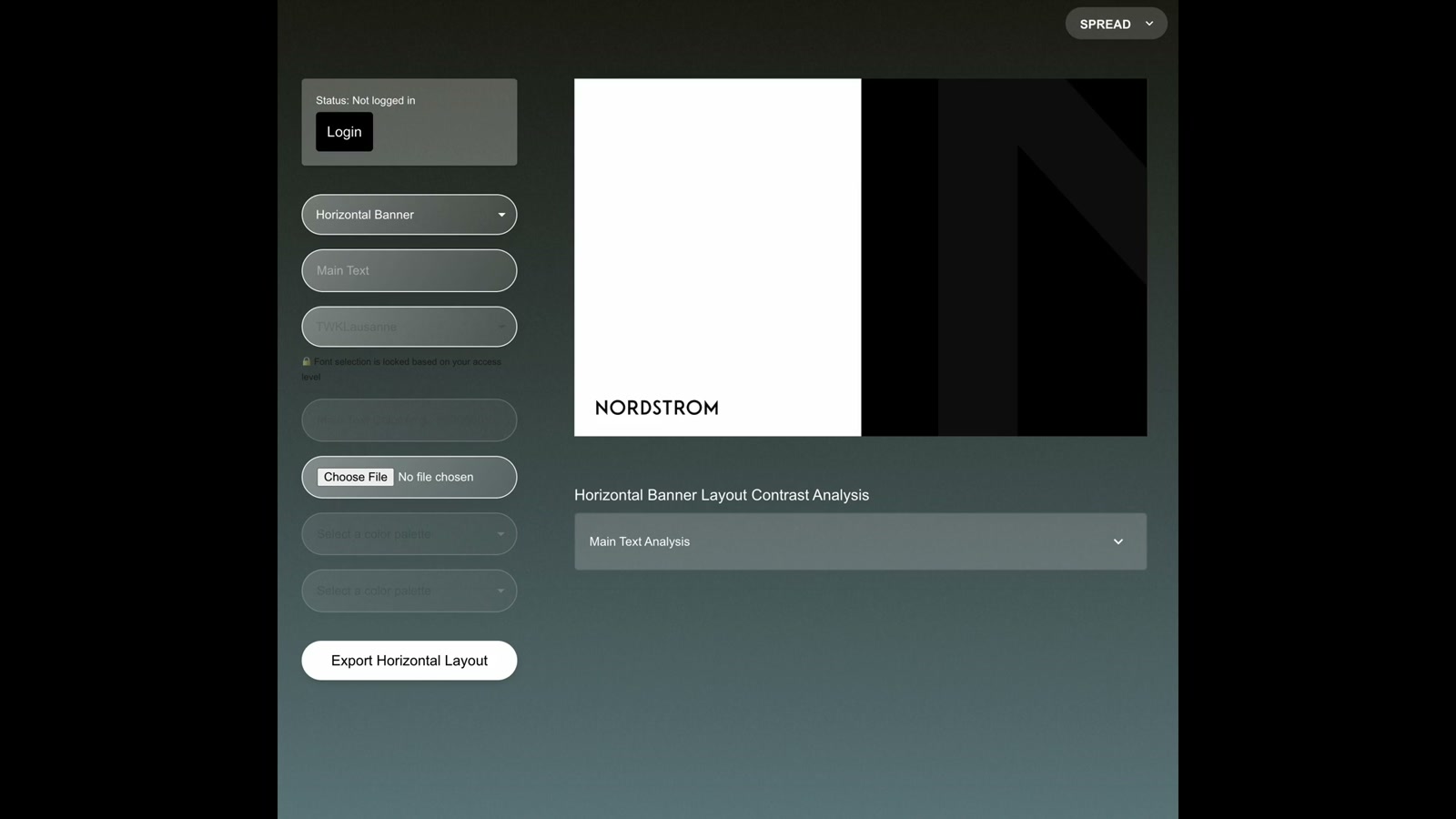
The frontend is a React app that presents a form-driven layout composer. You pick a layout type (horizontal banner, and others), drop in your main text, upload an image, and select color palettes. A live preview renders at scale in real time using layout definitions that output both preview styles and export-ready HTML/CSS simultaneously. An Express backend handles image processing and export generation, deployed on DigitalOcean, while the frontend lives on Netlify.
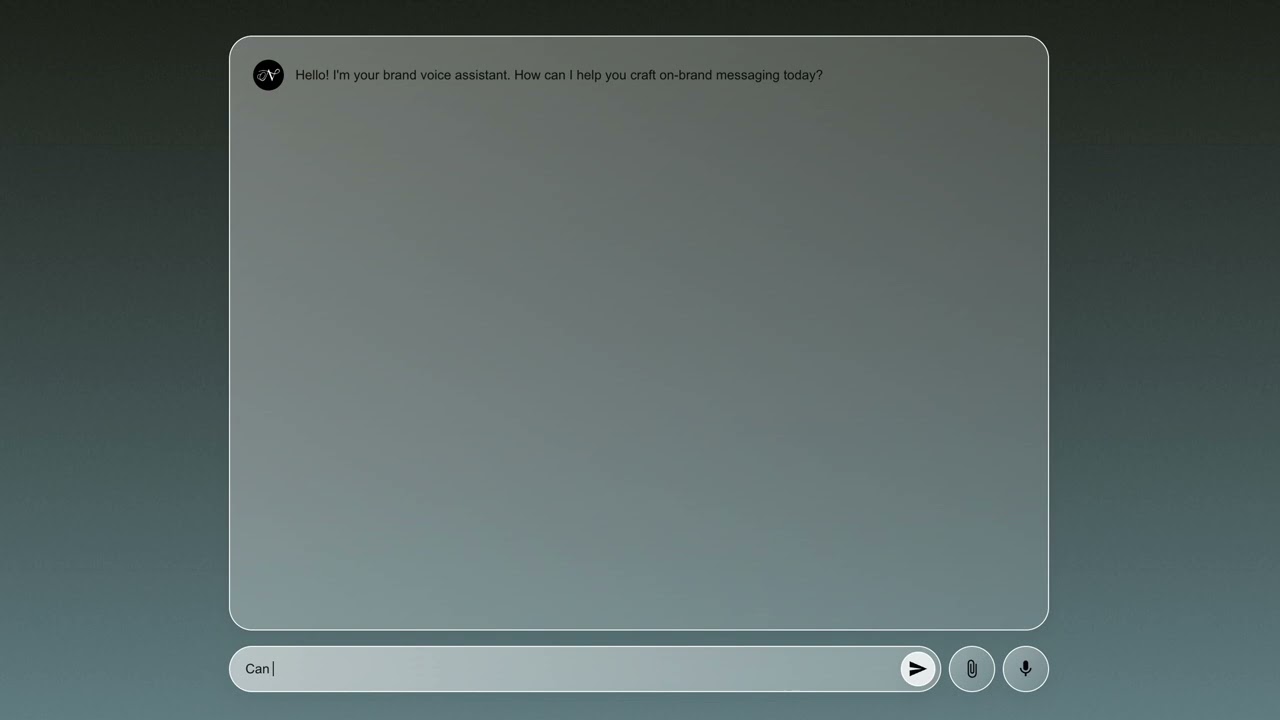
What makes it more than a template tool is the AI layer. A Flask microservice wraps OpenAI’s GPT-4o Vision API to analyze uploaded imagery against Nordstrom’s brand guidelines — evaluating subjects, lighting, color palette, composition, and mood, then returning a 0–1 brand alignment score with a detailed breakdown. An earlier iteration used AWS Rekognition to generate image labels before passing them to GPT-4 for evaluation, which is a useful fallback for teams without Vision API access.
The contrast analysis layer
Below the preview, a contrast analysis panel breaks down text legibility against the background — a small but meaningful addition that catches accessibility issues before anything goes to production. It’s the kind of check that usually gets skipped when a designer is moving fast, so baking it into the export flow makes it impossible to miss.
Why it matters
This is a pattern worth paying attention to: brand guardrails embedded directly into the creation tool, not bolted on afterward as a review step. The same architecture could power: creative ops workflows — where junior designers get instant feedback without needing a senior review; multi-brand platforms — swap the guidelines object and the AI evaluates against an entirely different brand identity; content moderation pipelines — where visual brand compliance needs to scale beyond what a human team can review. The real insight is that AI-assisted brand checking works best when it’s friction-free and in-context, not a separate audit tool someone has to remember to use.
Applying this to your project
-
Clone the right layer. The real app lives in
netlify-digitalocean-version/layout-generator/(afrontend/React app +backend/Express app + ashared/layouts folder). Discard the root-levelapp.py,brand_checker.py,test_aws_credentials.py,test_openai_credentials.py, andrun_on_different_port.py— these are one-off Python prototypes for an early “gut check” experiment (using AWS Rekognition and Flask) that were superseded by the Node backend. Also discardgenerative-layout-engine/(a single-file HTML prototype) and the unused rootpackage.json/package-lock.json. -
Set up environment variables. Copy
frontend/.envandbackend/.envtemplates and fill in:OPENAI_API_KEY(from platform.openai.com) inbackend/.env, andREACT_APP_REMOVE_BG_API_KEY(from remove.bg) plusREACT_APP_API_URL(pointing at your backend) infrontend/.env. For local development you can skip real auth entirely —frontend/src/auth/AuthContext.jsautomatically switches todevAuth.jswhenNODE_ENV=development, which lets you set your own access role via a browser prompt instead of wiring up Netlify Identity. -
Swap out the brand-specific content. The AI prompts in
backend/src/routes/generate-ai-text.jsandgenerate-ai-layout.jsare hardcoded to a specific retail brand’s voice (“Nordstrom”) — rewrite those prompt strings for your own brand voice and tone. The color palettes infrontend/src/utils/colorUtils.js(warmGrey,beauty,gold,anniversary, etc.) and the logo/wordmark SVG embedded inshared/layouts/LayoutDefinitions.jsare also brand-specific and need replacing, as do the fonts referenced infrontend/src/fonts.css. -
Know where your content plugs in.
shared/layouts/LayoutDefinitions.jsis the actual template engine — each entry (style,beauty,ai,instagramPost, etc.) defines dimensions, text constraints, and agenerator()function that returns preview styles plus exportable HTML/CSS.frontend/src/components/LayoutGeneratorInput.jsis the form that collects a user’s text/images and feeds them into whichever template is selected. On export,backend/src/routes/generate-image.jscalls that samegenerator()function and hands the resulting HTML/CSS tobackend/src/services/puppeteer.js, which renders it headlessly into the final PNG. To add a new template, you editLayoutDefinitions.jsfirst, then wire new fields intoLayoutGeneratorInput.js. -
Gotchas found while reading the code:
shared/layouts/LayoutDefinitions.jsandbackend/src/layouts/LayoutDefinitions.jsare two separate copies that have already drifted apart — until this is unified, template changes need to be made in both places.backend/src/routes/share-preview.jsstores shareable preview links in an in-memoryMapwith a 24-hour expiry — restarting the backend wipes every outstanding preview link, so it’s not durable as-is; swap in Redis or a database if you need persistence.- Background removal (
frontend/src/components/ImageProcessor.js) calls the remove.bg API directly from the browser, meaning the API key is exposed client-side — acceptable for an internal tool, not for a public-facing one. backend/Dockerfileinstalls system Chromium and setsPUPPETEER_EXECUTABLE_PATHso Puppeteer can run in DigitalOcean’s container — if you deploy the backend anywhere else, you’ll need to replicate that Chromium install or PNG export will fail silently.- Don’t carry forward
brand_checker.py— it contains a hardcoded AWS key and secret rather than reading them from environment variables.
Other ways to repurpose this
Product Design
- Let internal teams generate their own on-brand assets through a simple guided form, instead of routing every small variation through a designer.
- Give different teammates different levels of editing freedom, so junior staff can adjust wording while core brand elements stay locked in place.
Web Design
- Let a client preview a real, finished-looking version of a design change right in their browser, with a link they can share internally before anything goes live.
- Offer a simple crop-and-position step so clients can drop their own photos into pre-approved layouts without needing a design tool.
Marketing
- Use AI to draft on-brand headlines and captions in a company’s specific voice, then let a person pick and polish the best option.
- Automatically flag whether a photo or graphic feels “on-brand” before it goes out, catching mismatched tone or color early.
Branding
- Turn a brand’s guidelines into a living color-and-style picker, so anyone on the team can grab the approved options instead of guessing.
- Package a brand’s logo system into a simple generator that produces correctly sized, correctly proportioned variants for different sub-teams automatically.
Dependencies
- Role
- Design Engineer
- Tools
- React Express Flask OpenAI GPT-4o AWS Rekognition Netlify DigitalOcean TailwindCSS