Copy Doc Creation
A Figma plugin with two sync modes that pipes copy and frame data directly into Google Sheets — eliminating manual handoffs for translation and transcreation workflows
Translation and transcreation workflows have a hidden tax: someone always has to manually extract copy from designs and move it somewhere a translator can actually work with it. That means copy-pasting out of Figma into a spreadsheet, tracking which strings belong to which frames, and doing it all over again when the translated text comes back. It’s tedious, error-prone, and completely mechanical. So we built a plugin to do it automatically.
Two modes, one plugin
The plugin has two sync options depending on what you need to move.
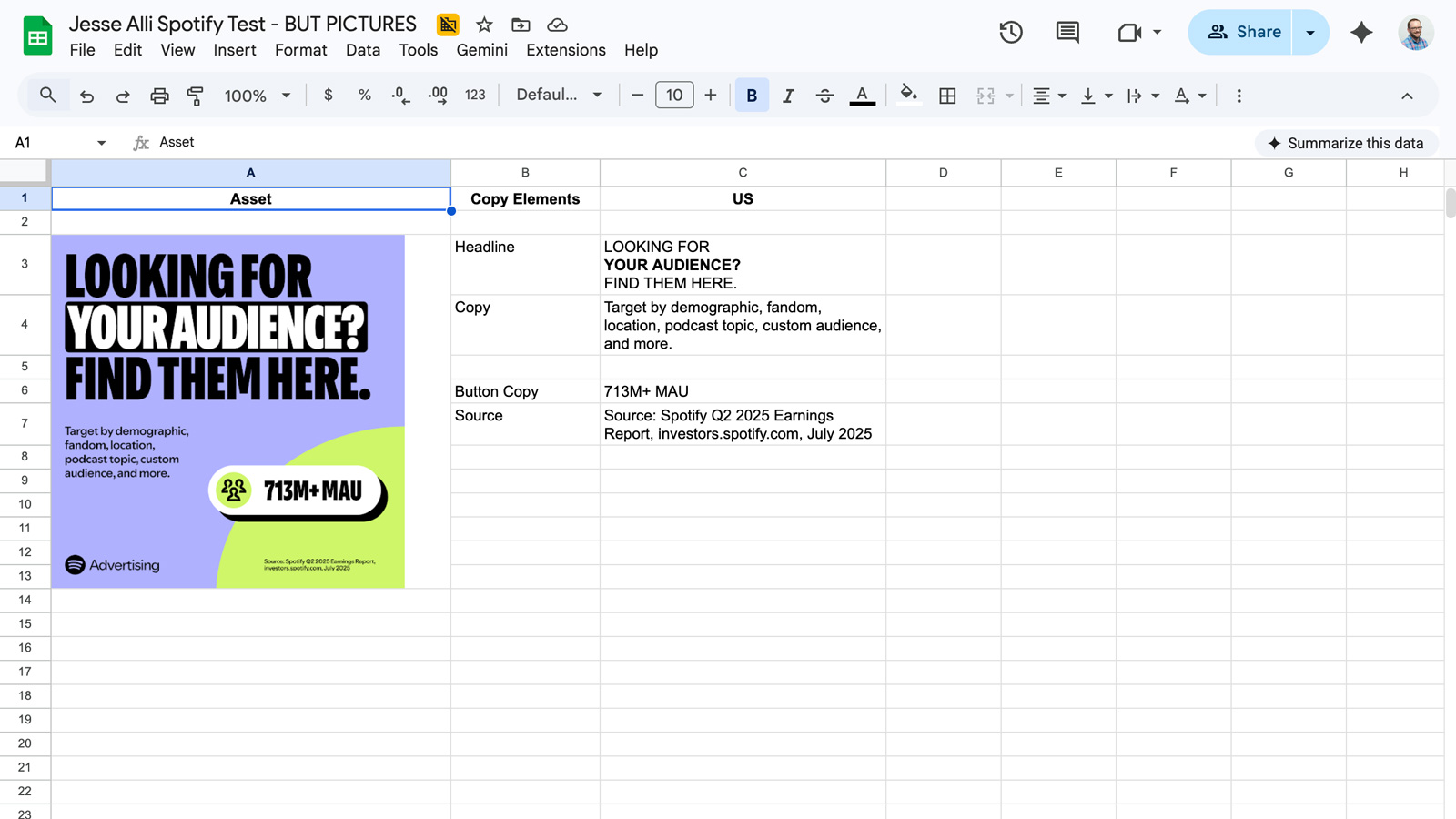
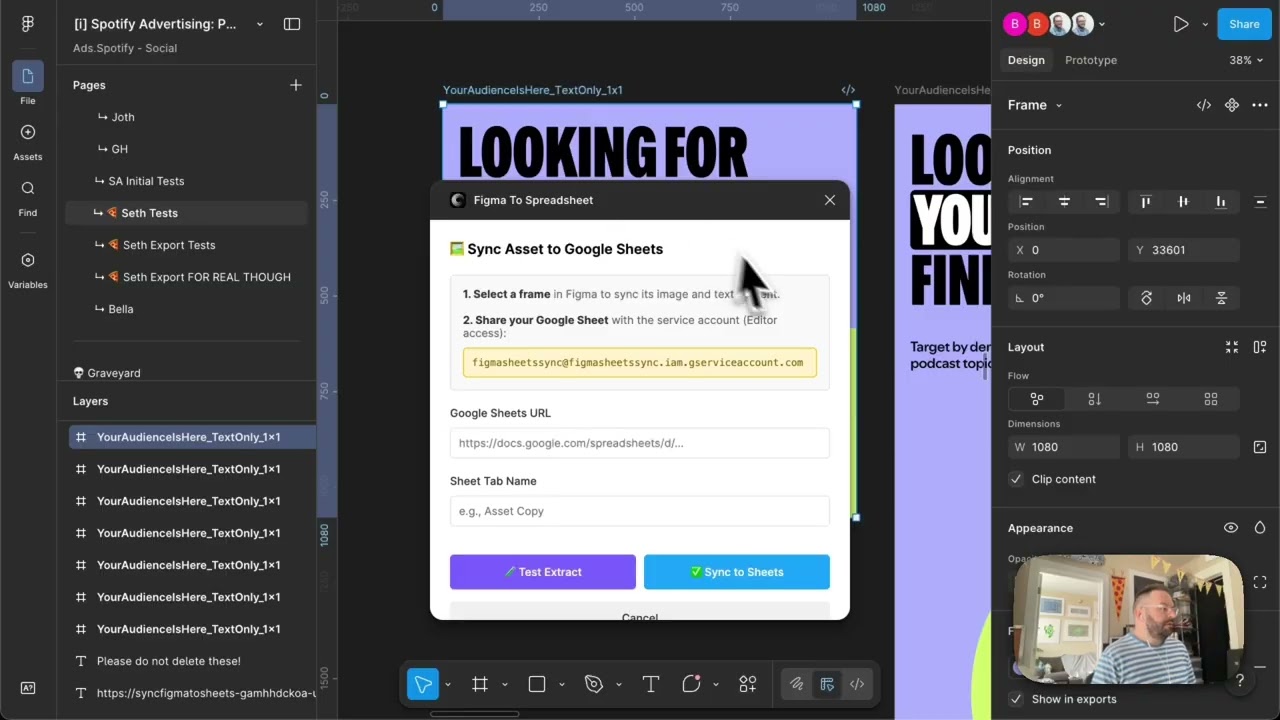
Sync Asset to Sheets takes a selected Figma frame and pushes its data — including text content — into a target Google Sheet. You select the frame, paste in the sheet URL, name the sync, and hit go. It handles formatted text too, not just plain strings: bold styling carries over into the spreadsheet, so translators have the full context of how copy is weighted and structured in the design.
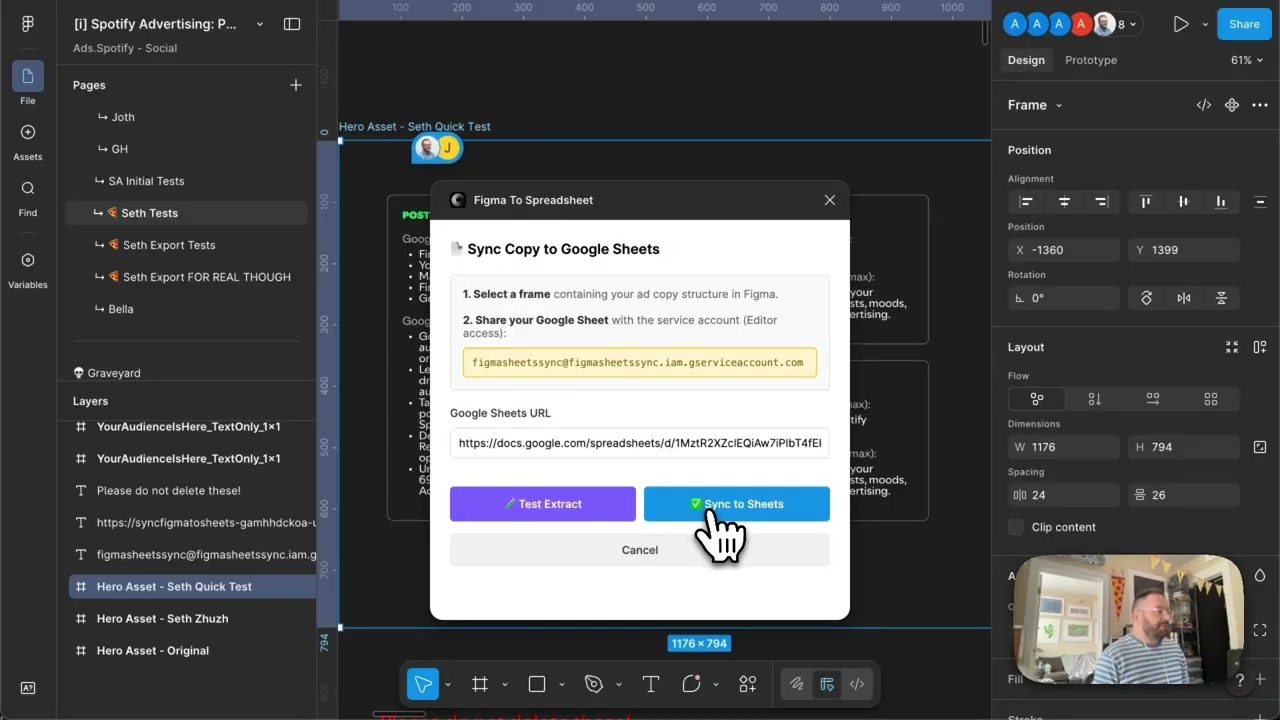
Copy to Sheets works similarly but is focused specifically on text extraction for copy handoffs. You share the Google Sheet with the plugin’s service account as editor, paste the URL, and sync. The plugin pulls the copy out cleanly and populates the sheet, ready for a translation team to work directly in the cells.
Why it matters
The real beneficiary here is the translation workflow. When copy lives in a shared Google Sheet that’s directly sourced from the Figma file, translators and designers are working from the same document — no version confusion, no missed strings, no re-entry errors when translated copy comes back. What used to be a manual, error-prone handoff becomes a one-click sync. For teams running multilingual campaigns or localizing product copy across multiple markets, that compounds quickly.
Applying this to your project
-
Clone the plugin shell, keep the backend separate. Copy
code.ts,ui.html,manifest.json,tsconfig.json, and the rootpackage.jsonas your Figma plugin. Keepcloud-function/index.jsandcloud-function/package.jsonas your backend. Discardcode.js— it’s a build artifact regenerated bynpm run build. -
Deploy your own backend and point the plugin at it. Set up a Google Cloud project, enable the Sheets API and Cloud Storage API, create a service account, and deploy
cloud-function/index.js(it uses@google-cloud/functions-framework, so it deploys as-is to Cloud Functions or Cloud Run). Then update theCLOUD_FUNCTION_URLconstant near the top ofcode.tsto your new function’s URL, and swap theGCS_BUCKETconstant incloud-function/index.jsto your own bucket name. -
Update the manifest’s network allowlist.
manifest.json’snetworkAccess.allowedDomainsonly permits*.run.appand*.cloudfunctions.net— if you deploy anywhere else (a custom domain, a different host), add it here or the plugin’s fetch call will be silently blocked by Figma. -
Swap the hardcoded service account email.
ui.htmlhardcodesfigmasheetssync@figmasheetssync.iam.gserviceaccount.comin two places (one per mode) as the address users must share their Sheet with. Replace both with your own service account’s email. -
Redefine what content maps to what.
code.tshas aSHEET_TAB_MAPPINGobject andcloud-function/index.jshas aTAB_HEADERSobject — together these define which Figma copy sections map to which sheet tabs, and what column headers get written. Edit both to match your own content categories. -
The real integration point is Figma layer naming, not an API. There’s no schema or UI for mapping fields — the plugin finds data purely by matching layer names.
extractCopyData/extractFromPostCopyFrameincode.tslook for frames named things likePost Copy,post-copy,tab-and-heading, andtext-options;extractAssetDatalooks forHeadline-Group,Headline,Headline-Framed,SubCopy,Stats, andSourceText. To adapt this to a different Figma file, either rename your layers to match these strings, or edit the strings in the code to match your file’s naming convention. -
Gotcha — a fragile auto-generated layer name is hardcoded.
extractCopyDatachecks for a child frame literally namedFrame 2147223036(Figma’s auto-generated default name). If that layer ever gets renamed or regenerated in your file, extraction silently breaks. Replace it with a deliberately named layer. -
Gotcha — the backend has no auth and wide-open CORS.
cloud-function/index.jssetsAccess-Control-Allow-Origin: *and does no request-origin or API-key checking. Anyone with the URL can write to any Google Sheet the service account has edit access to. Fine for an internal tool; add an API key or origin check before using this pattern more broadly. -
Gotcha — character counts are inferred from text formatting.
parseTextOptionsincode.tsexpects copy formatted likeSome headline text (30)— a number in trailing parentheses is read as the character count; anything else falls back to raw string length, which may not match the platform limit you actually care about.
Other ways to repurpose this
Product Design
- Let a designer see how new app or product copy will actually read, sized against the real character limits, before anything ships.
- Keep a shared spreadsheet of copy variants automatically in sync with what’s actually in the design file, so writers and designers are never comparing against outdated text.
Web Design
- Automatically pull the exact text and images out of a webpage mockup into a review spreadsheet, so developers or clients can sign off on content without opening the design file.
- Let stakeholders review a finished layout and its copy side by side, so a page’s content gets approved before anyone starts building it.
Marketing
- Push a finished ad — the image plus every line of headline and body copy — straight into the spreadsheet a media buyer uses to launch campaigns.
- Automatically track character-count limits for each ad platform and keep them organized by channel, so nothing gets rejected for running too long.
Branding
- Maintain one master file of every approved messaging variation that updates automatically from the design tool the team actually works in.
- Let a brand team review new taglines or messaging in the real visual context they’ll appear in, instead of as plain text in a document.
Dependencies
- Role
- Creative Technologist
- Tools
- Figma Plugin API Google Sheets API OAuth JavaScript
- Metrics
- Eliminates copy-paste handoffs between Figma and translation teams
Mode 2: Copy to Sheets