EA Color Theme Generator
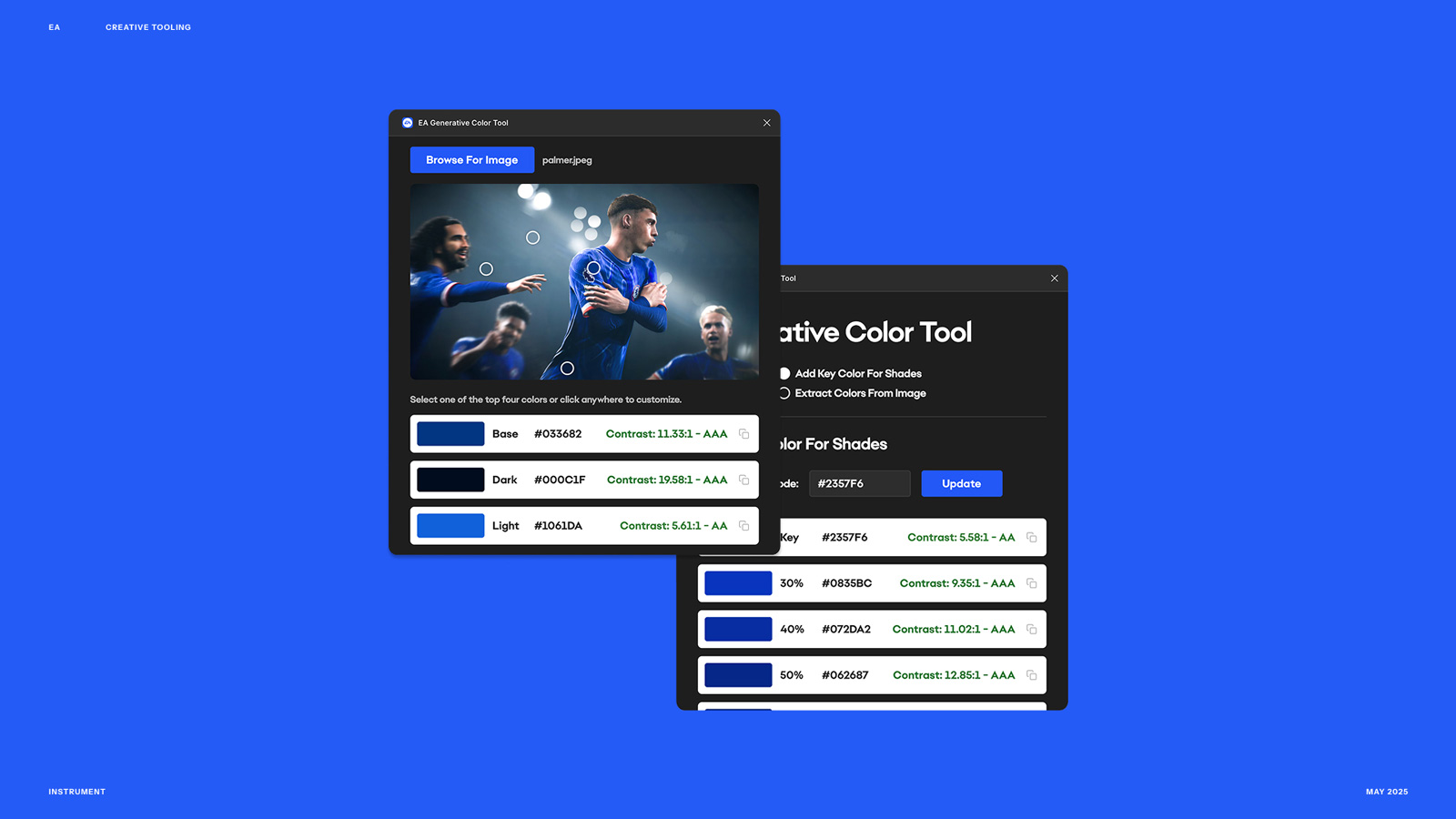
A Figma plugin that extracts the primary color from any uploaded image and automatically builds a full, brand-aligned color scheme from it
Building color schemes manually is one of those tasks that looks simple from the outside but quietly eats hours. You’re eyedropping colors, checking contrast, building out tints and shades, making sure everything holds together as a system. For a team working with game IP — where every title has its own visual world — doing that from scratch for every asset is a real time sink. So I built a Figma plugin that does it for you.
How it works
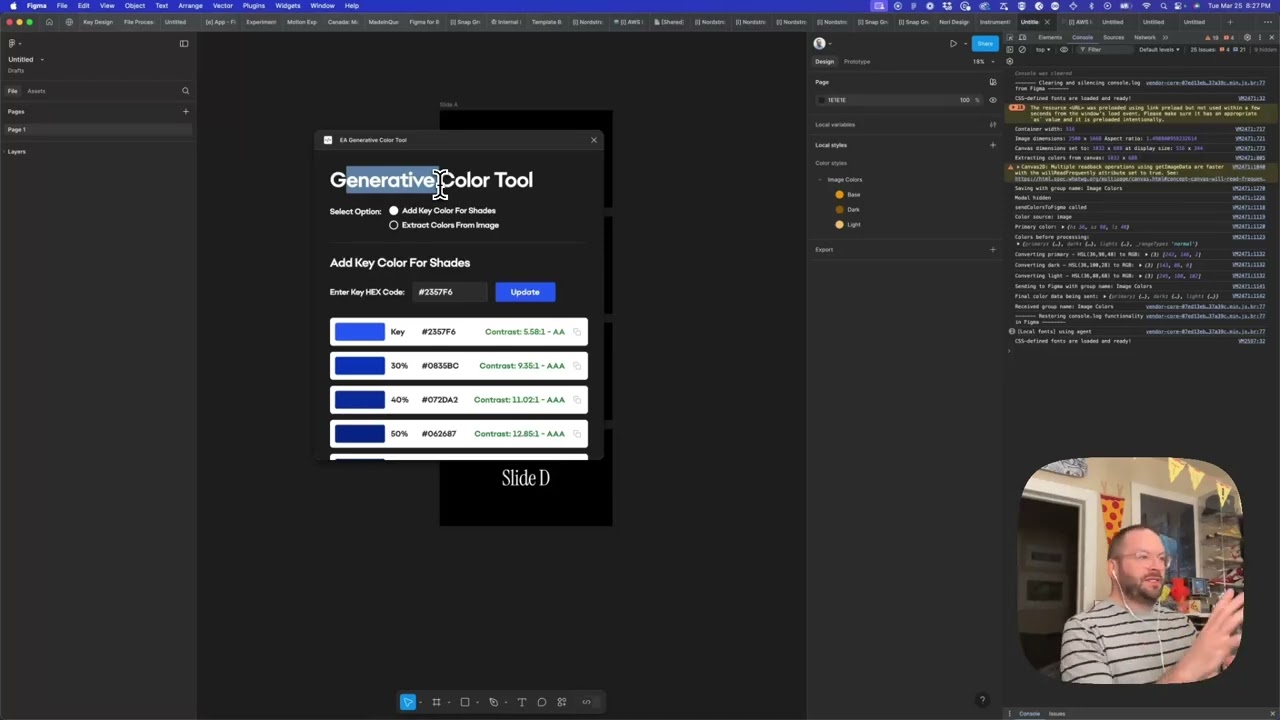
You upload an image — a game screenshot, a character render, a key art piece — and the plugin extracts the primary color and builds out a complete color scheme from it. You can organize these into color groups as needed. The preview renders at 2x resolution so what you see in the panel actually looks good, not just functional.
One technical detail worth noting: Figma plugins can’t access locally installed fonts for security reasons — otherwise a plugin could theoretically interfere with files on someone’s machine. To get around this without hosting the font externally, I converted the font file into Base64-encoded data embedded directly in the plugin. It’s fully self-contained, so every user sees the right typography the moment they install it, no setup required and no external dependency to break.
Why it matters
The manual version of this workflow — eyedropping colors, building tints and shades, checking that everything holds together — is the kind of work that’s easy to underestimate until you’re doing it for the twentieth time. This plugin compresses that into seconds and keeps the output consistent. For designers working across multiple game titles, each with their own visual identity, that consistency and speed compounds quickly. Less time matching colors, more time making things.
Applying this to your project
-
What to clone and what to discard. Copy
manifest.json,code.ts,ui.html,package.json, andtsconfig.json— that’s the whole plugin. Discardcode.js(it’s a build artifact regenerated bynpm run build; it’s even excluded in.gitignore), and swap outEAColorGeneratorPreviewImage.png/ea-figma-icon.pngfor your own preview image and plugin icon. -
No environment variables or API keys needed. This plugin makes zero external network calls —
manifest.jsonexplicitly setsnetworkAccess.allowedDomainsto"none". All color extraction happens locally via the browser<canvas>API on pixels the user already uploaded. If you extend this to call an external service (e.g. a hosted color-naming API), you’ll need to add real domains to thatallowedDomainsarray or Figma will silently block the request. -
What to rename/rebrand.
- In
manifest.json: changenameto your plugin’s name, and generate a new random-lookingid(Figma assigns these; don’t reuse1481766140618943519). - In
code.ts: the default style group name'EA Colors'(line withgroupName: string = 'EA Colors') is hardcoded — change this to your own namespace so generated Figma paint styles don’t collide with someone else’s “EA Colors” group. - In
ui.html: search for any “EA”-specific copy, headings, or button labels in the visible HTML (not just the script) and swap for your own product name.
- In
-
Critical integration points — where content plugs in.
- The UI (
ui.html) and the plugin’s main thread (code.ts, compiled tocode.js) only talk to each other viafigma.ui.postMessage/figma.ui.onmessage. If you want to add a new color source or workflow, you send a message of shape{ type: 'create-color-styles', colors: {...}, sourceType, groupName }fromui.htmland handle it incode.ts’sfigma.ui.onmessagehandler. - Colors are plumbed through as
{ r, g, b }objects in the 0–1 float range Figma’s Paint API expects (not 0–255) — see theColorDatainterface andSolidPaintobject incode.ts. If you’re generating colors elsewhere, convert to this range before sending. formatStyleName()incode.tsbranches onsourceType('manual'vs. image-extracted) to decide whether a color is labeled “Base (0%)”, “40%”, “Dark”, etc. If you add a third color source (e.g. a palette import), you’ll need a new branch here or names will fall through to the generic capitalize-first-letter fallback.
- The UI (
-
Non-obvious gotchas.
- There’s no color library (chroma.js, tinycolor2, etc.) — HSL↔RGB conversion is hand-rolled in
ui.html(hslToRgb/rgbToHsl). If you need more color operations (contrast ratios, LAB space, etc.), you’re extending this math yourself or pulling in a library and updatingmanifest.json’s network policy if it’s CDN-loaded. - The canvas is rendered at
devicePixelRatiointernally but displayed at CSS pixel size (see thedprscaling around the canvas setup inui.html) — any new code that reads mouse/hover coordinates off the canvas needs to apply the same DPR correction or color picking will be off on high-DPI (Retina) displays. createColorStyle()incode.tschecksfigma.getLocalPaintStylesAsync()for an existing style with the samegroupName/styleNamepath before creating a new one — re-running the plugin updates existing styles in place rather than duplicating them. Preserve this dedupe check if you refactor style creation, or every re-run will pile up duplicate styles.- The plugin auto-closes itself 1.5 seconds after creating styles (
setTimeout(() => figma.closePlugin(), 1500)incode.ts). If you add more post-creation UI (e.g. a success screen with next steps), you’ll need to remove or extend this timeout.
- There’s no color library (chroma.js, tinycolor2, etc.) — HSL↔RGB conversion is hand-rolled in
Other ways to repurpose this
Product Design
- Let a client upload a photo of their product, storefront, or existing materials and instantly see a matching color system built from it, rather than starting from a blank palette.
- Give clients a live, clickable preview where they can pick a swatch and see it applied immediately, so decisions happen by pointing and clicking instead of describing a color in words.
Web Design
- Turn a client’s brand photography or mood board into a ready-made set of website color variables they can hand straight to their web team.
- Offer a lightweight in-browser tool clients can use themselves to test color ideas before a design review, cutting down on back-and-forth email threads about hex codes.
Marketing
- Build a quick self-serve tool that lets a prospective client see their own logo or photo transformed into a professional-looking palette, as a taste of the agency’s work before they even sign on.
- Package this kind of instant, no-signup mini-tool as a lead magnet on the agency website — something useful clients can try in seconds without downloading anything or creating an account.
Branding
- Use the same approach to pull a cohesive color story directly out of a client’s existing brand assets, making sure new palettes stay visually connected to what they already have.
- Offer clients a simple way to generate light and dark variations of their brand colors automatically, so a single brand color always comes with a ready-made family of shades for different uses.
Dependencies
- Role
- Creative Technologist
- Tools
- Figma Plugin API Color Theory JavaScript Base64 Brand Systems
- Metrics
- Extracts primary color and generates a full color scheme in seconds