Figma Ad Copy Character Counter
A Figma plugin that automatically detects and corrects character counts embedded in ad copy text layers — no more manually counting headlines and descriptions. Built for ad creative workflows where copy specs like '30 character max' need to be verified and tracked across dozens of variants.
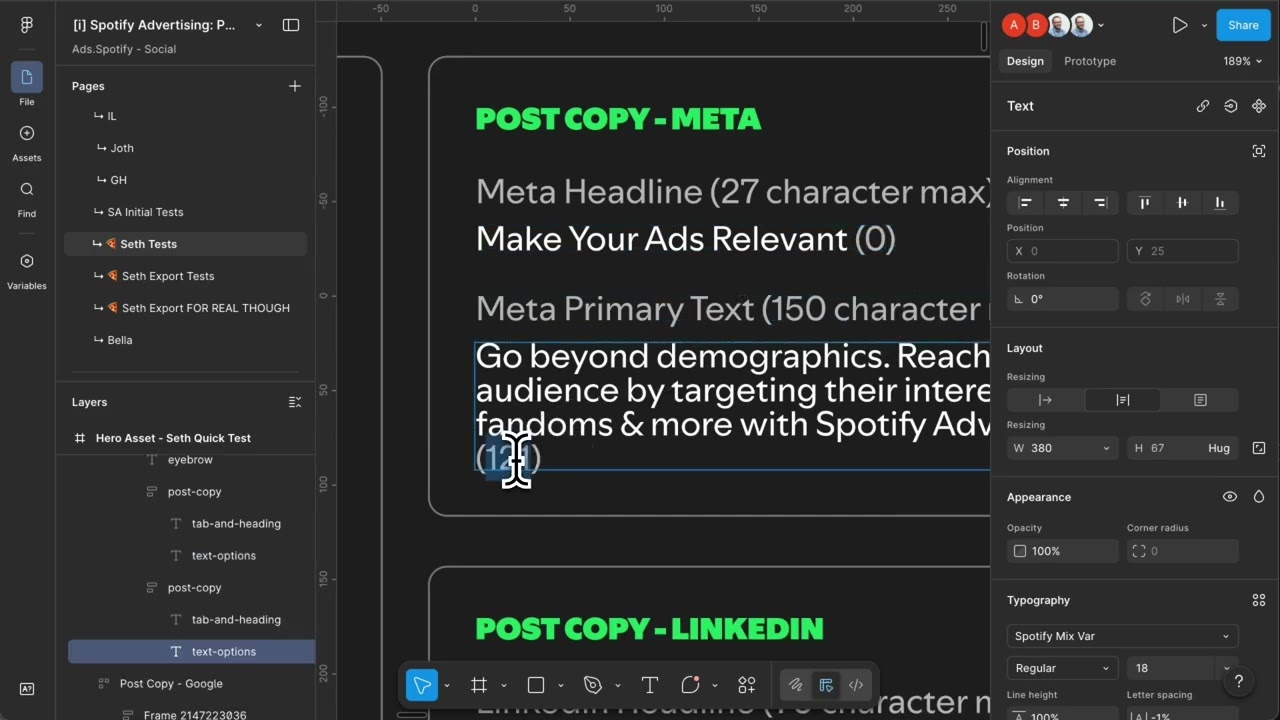
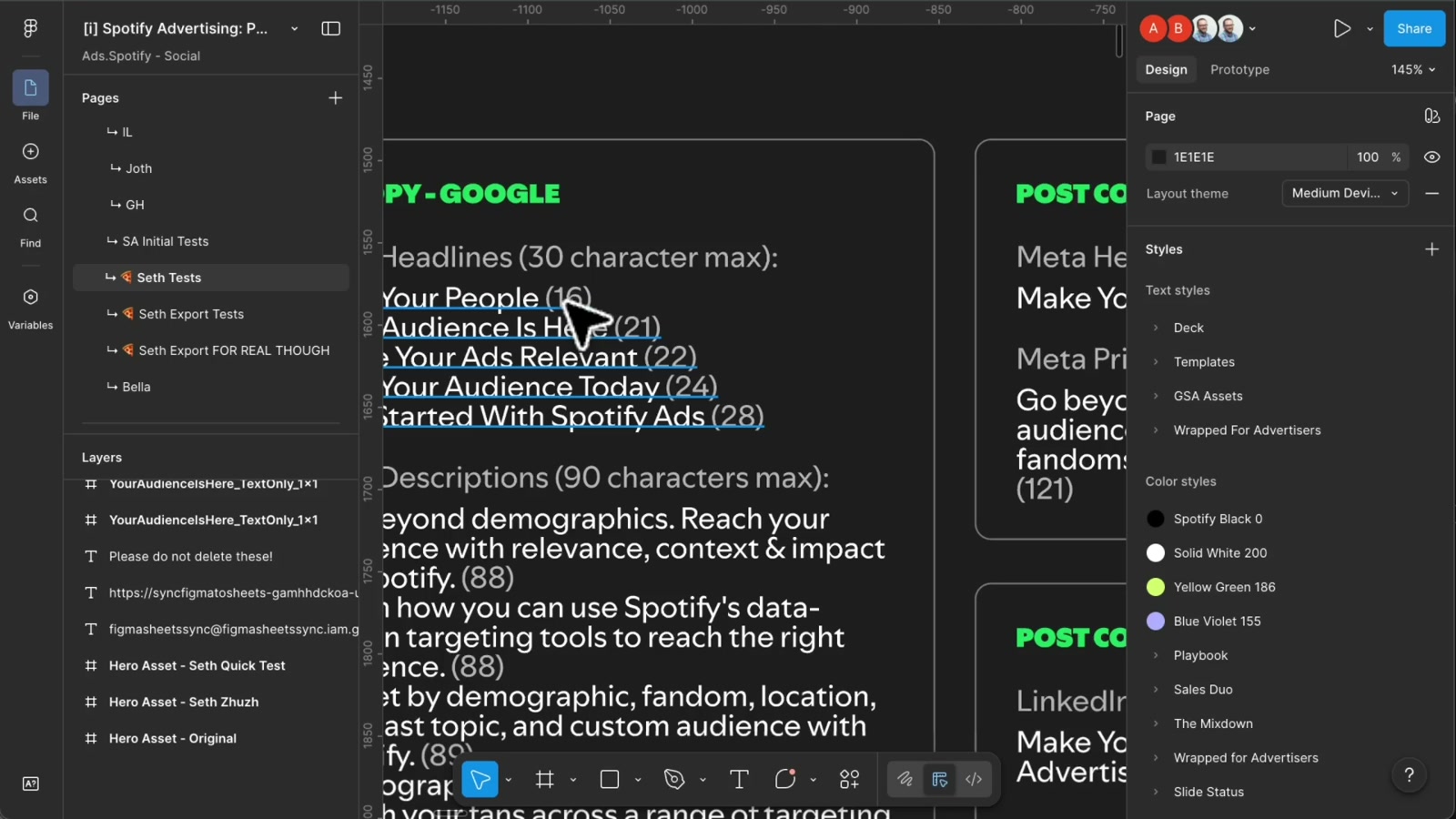
Working on Spotify advertising creative means managing a lot of copy — headlines capped at 30 characters, descriptions at 90, across multiple ad formats and platforms. The design files had a convention: text layers showed the copy followed by its character count in parentheses, like Your People (16). Useful for review. Painful to maintain manually every time a word changed.
How it works
The plugin scans any selected frame or group and uses a regex pattern to find all text in the Text (XX) format. For each match, it calculates the actual character count of the text content and compares it against the number already in parentheses. If they differ, it surgically replaces just the number — preserving all font styles and formatting — and logs the before/after change. The UI reports exactly how many layers were scanned, how many lines were updated, and shows a full diff of every correction made.
The tricky part was handling text edits without blowing up mixed-style text nodes. Figma’s plugin API requires loading fonts before any character manipulation, and offset tracking is essential when making multiple replacements in a single text layer — each insertion or deletion shifts the index positions of everything that follows.
Why it matters
This is a small plugin solving a very specific workflow pain, but it reflects a broader pattern worth noting: design systems at scale generate a lot of manual bookkeeping, and almost all of it can be automated. Ad creative teams, content designers, and anyone managing copy-heavy files with character constraints can burn real time on this kind of verification.
The same approach extends naturally to other annotation patterns — word counts, token names, version numbers embedded in layer names. Anywhere a file maintains a derived value that could drift from its source, a targeted plugin like this pays back its build time quickly. The convention of storing metadata inline in text layers turns out to be surprisingly automation-friendly.
Applying this to your project
- Clone the plugin shell, discard the sample logic. Copy the whole folder, but treat
code.ts,code.js, andui.htmlas the only files you’ll actually rewrite —manifest.json,tsconfig.json, andpackage.jsoncan stay almost as-is. Deletecode.jsbefore you start (it’s a build artifact, already gitignored) and regenerate it withnpm run buildonce you’ve editedcode.ts. - No environment variables or API keys are needed. This plugin never calls an external API —
manifest.jsonexplicitly setsnetworkAccess.allowedDomainsto"none". If your adaptation needs to call a real API (e.g. a spellchecker or translation service), you’ll need to add the domain to thatallowedDomainsarray or Figma will silently block the request. - Rename the plugin identity. In
manifest.json, change"name"and generate a fresh"id"(Figma assigns this when you register a new plugin in the desktop app — don’t reuse"1590472358408588534"). Update"name"inpackage.jsontoo. - Swap the matching pattern, not the architecture. The core logic lives in
updateTextCount()incode.ts— it’s built around one regex:/(.+?)\s*\((\d+)\)/g, which looks for"Label (##)"inside a text layer. If you want to detect something else in layer text (a price, a date, a status tag), change that regex and the surroundingparseInt/toStringlogic — the recursive tree-walk inprocessNode()that finds all text layers inside a selected frame/group doesn’t need to change. - The UI is static HTML, not a framework.
ui.htmlis a single self-contained file with inline<style>and<script>— there’s no React/Vue build step for the UI panel. Rebrand colors and fonts directly in the<style>block (currently pulls “Instrument Sans” from Google Fonts via a<link>tag — swap that URL for your own font). - Integration point:
figma.ui.onmessageincode.tsis the bridge. Your UI’s button clicks (update,cancelinui.html)postMessagea{ type: 'update-counts' }or{ type: 'cancel' }object to the plugin thread;code.tslistens viafigma.ui.onmessageand replies viafigma.ui.postMessage. Any new UI action you add needs a matchingmsg.typebranch incode.ts. - Gotcha: font loading is required before editing text.
updateTextCount()callsawait figma.loadFontAsync(textNode.fontName as FontName)before touchingtextNode.characters— Figma throws a runtime error if you try to edit text without loading its font first. Keep this if you add any new text-editing feature. - Gotcha: character offsets shift as you edit. The
offsetvariable inupdateTextCount()tracks how much earlier edits have shifted subsequent character positions within the same string (sincedeleteCharacters/insertCharacterschange the string length). If you add more find-and-replace passes on the same text node, you need the same offset-tracking or later matches will land in the wrong place. - The UI window size is hardcoded.
figma.showUI(__html__, { width: 450, height: 400 })incode.tssets a fixed panel size — adjust to fit whatever new UI you build.
Other ways to repurpose this
Product Design
- Give a tool the ability to scan a whole batch of design files at once and instantly show which text or labels are out of sync with the real content behind them.
- Build small in-app helpers that fix repetitive, error-prone busywork — like keeping counters, tags, or labels accurate — so designers don’t have to check them by hand.
Web Design
- Offer clients a lightweight “audit” tool that checks their live site’s text or labels against a set of rules and reports exactly what’s inconsistent.
- Show a clear before-and-after comparison of any content change so a client can see precisely what will update before approving it.
Marketing
- Package small time-saving utilities like this into a portfolio piece that demonstrates how automation can remove tedious manual QA work from a client’s workflow.
- Use the same “select something, get an instant accurate summary” pattern to build quick content-auditing demos for pitch decks.
Branding
- Apply the same “scan and auto-correct” idea to keep brand assets consistent, such as flagging outdated taglines, counts, or labels across many files at once.
- Turn the simple, clean utility-panel look of this tool into a reusable mini pattern for lightweight branded internal tools that feel polished without a heavy design system.
Dependencies
- Role
- Design Engineer
- Tools
- Figma Plugin API TypeScript JavaScript