Quick Renaming
A Figma plugin for batch renaming frames with a custom base name, separator style, and numeral format — ordered by selection and built for fast export prep
There are other rename plugins for Figma. The problem with most of them is that they load the entire file first — scan every page, index every layer — and if your file is large, you’re waiting before you can do anything. This one doesn’t do that. It works on exactly what you select, nothing more.
How it works
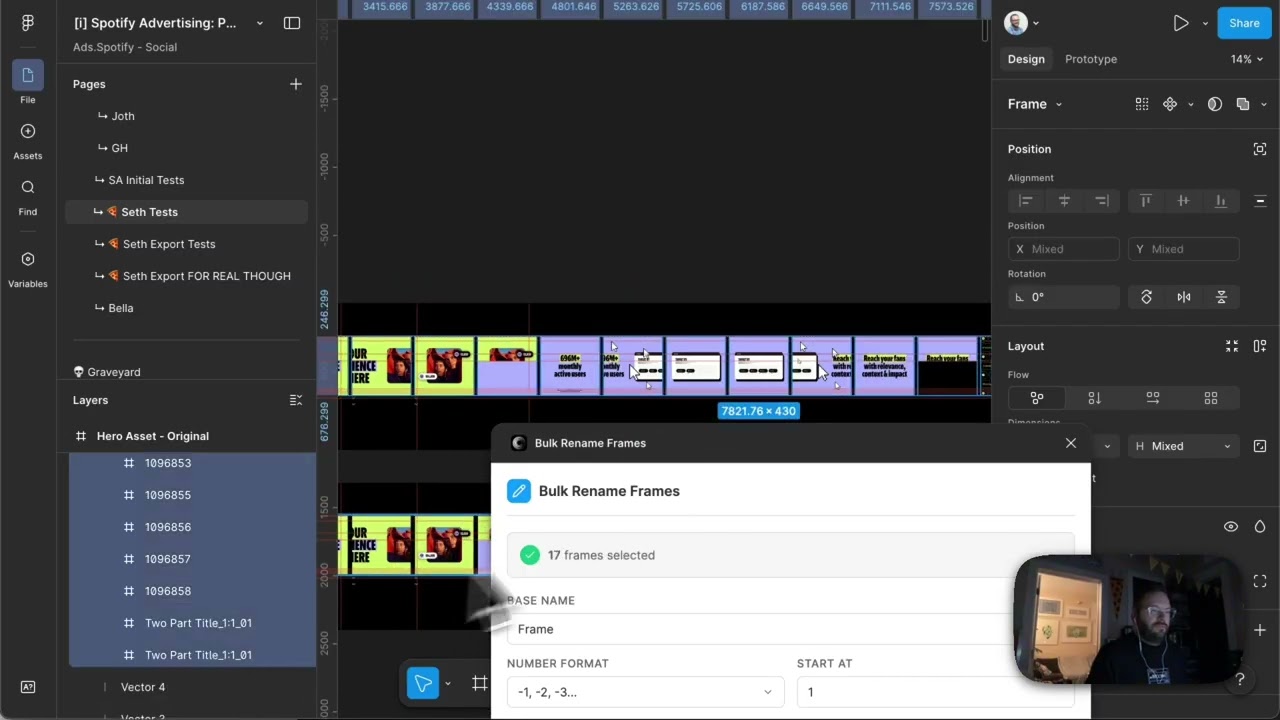
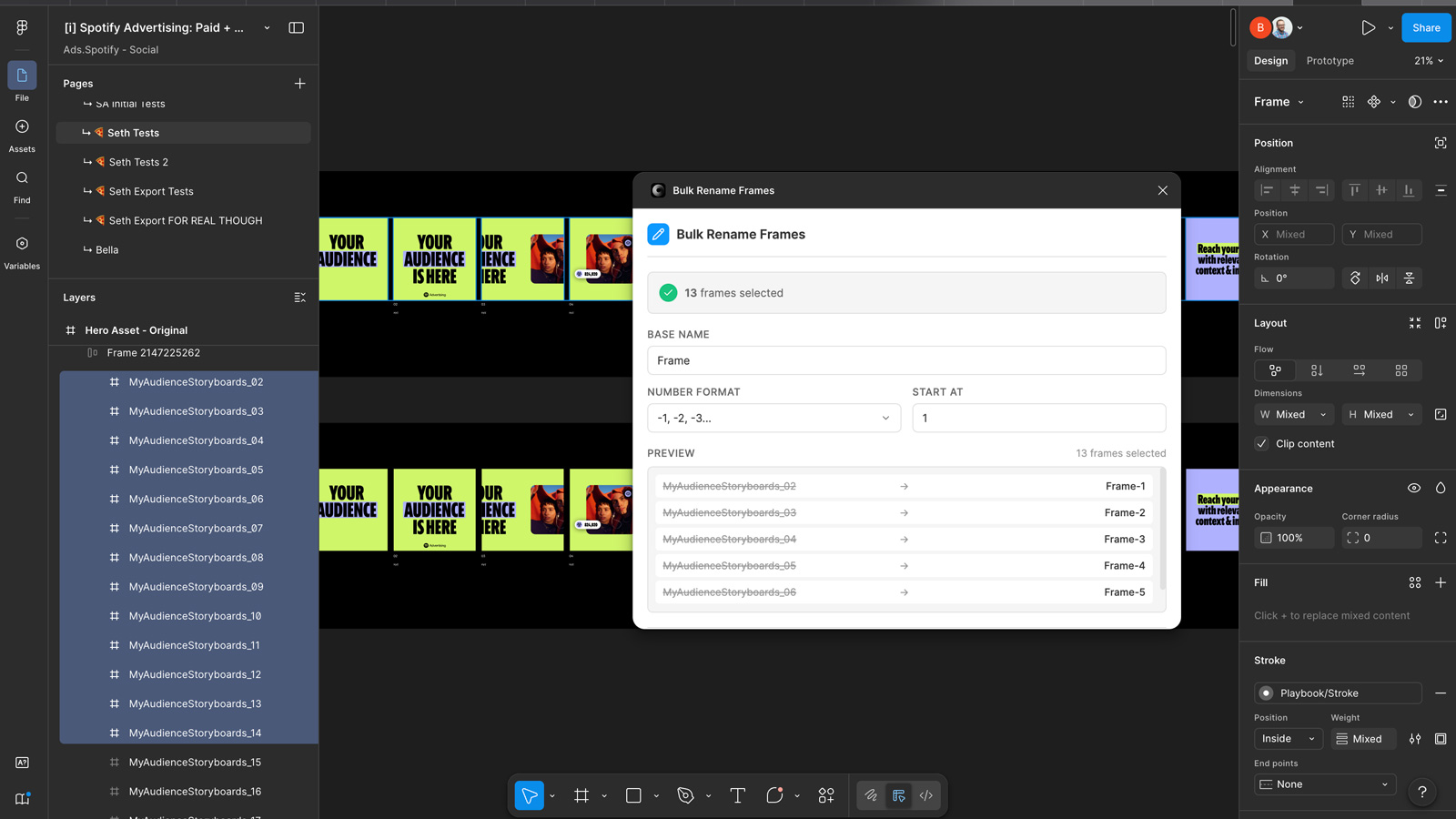
Select the frames you want to rename. The order you select them in is the order they’ll be numbered — useful when you’re prepping a storyboard sequence for motion and the logical order isn’t the same as left-to-right on the canvas. Set a base name, pick your separator (hyphen or underscore), and choose your numeral format: single digit, double digit with a leading zero, or triple digit with two leading zeros. If you’ve already exported some frames and want the numbering to pick up where you left off, set the starting number and it counts from there. Hit rename, and every selected frame updates instantly.
Why it exists
Motion designers frequently need frames named in a specific sequence before handoff — my-audience-storyboard-01, my-audience-storyboard-02, and so on — and the existing tools in Figma make that slower than it should be by loading context you don’t need. This plugin keeps the scope tight: you select what you want, you set the convention, it renames. That’s the whole thing.
Applying this to your project
- Copy
manifest.json,code.ts,tsconfig.json,package.json, andui.html. Discardcode.jsandnode_modules— these are build artifacts you’ll regenerate withnpm installandnpm run build. Discardpackage-lock.jsontoo; a fresh install will create your own. - No API keys or accounts are needed to run this as-is.
manifest.jsonsetsnetworkAccess.allowedDomainsto"none", meaning the plugin can’t reach the internet at all. If your version needs to call an external service, you’ll need to add each domain to that array or Figma will silently block the request. - Make it your own by changing: the
nameandidfields inmanifest.json(theidis assigned when you register a new plugin in the Figma desktop app — don’t hand-write a random one), the page<title>and header text inui.html, the defaultbaseNamevalue ("Frame"), and the options listed in thenumberFormatdropdown. - The critical integration point is the message bridge between the two threads:
code.tscallsfigma.ui.postMessage(...)to push data out, andui.html’swindow.onmessagehandler receives it; going the other direction,ui.htmlcallsparent.postMessage({ pluginMessage: ... }, '*')andcode.ts’sfigma.ui.onmessageswitch statement handles it. Any new feature (new inputs, new node types, new actions) needs a matching message type added on both sides. Also notegetSelectedFrames()filters strictly onnode.type === 'FRAME'— swap that check to target components, text layers, or other node types instead. - Gotchas found while reading the code:
renameFrames()usesfigma.getNodeByIdAsync(not the sync version) becausemanifest.jsonsetsdocumentAccess: "dynamic-page"— async lookups are required in that mode. The spatial sort ingetSelectedFrames()uses a hardcodedROW_THRESHOLDof 10px to decide which frames count as “the same row” — too small or too large for your canvas density and the ordering will look wrong.manifest.jsonlistseditorType: ["figma", "figjam", "slides", "buzz"], but the plugin only ever matchesFRAMEnodes, which don’t exist in FigJam or Slides — so in those editors the plugin will always show “no selection” even with objects selected. Finally,ui.htmlhas no build step of its own; all its CSS and JS are inline in that one file, so edits go straight there, while onlycode.tspasses through the TypeScript compiler.
Other ways to repurpose this
Product Design
- Let a designer batch-rename layers, icons, or component variants across a large file in seconds instead of clicking into each one by hand.
- Automatically order selected items by where they sit on the canvas before applying any bulk change, so naming stays predictable as new items get added.
Web Design
- Give a client a live before-and-after preview of proposed name or label changes across a site before anything is actually applied.
- Apply one consistent naming pattern automatically when producing several page or layout variants at once, such as for A/B testing.
Marketing
- Speed up campaign production by instantly generating a consistent naming pattern across dozens of ad or social banner variants.
- Let a non-technical marketer pick a naming style from a simple menu instead of typing out repetitive names by hand.
Branding
- Enforce one consistent naming convention across every asset in a brand system, so nothing reaches a client with inconsistent labeling.
- Hand clients a lightweight self-serve tool so they can keep their own files organized to spec after a project is delivered.
Dependencies
- Role
- Creative Technologist
- Tools
- Figma Plugin API JavaScript
- Metrics
- Expedites frame naming for export preparation, especially useful for motion handoffs and maintaining consistent naming conventions