Figma Plugins: GP Translator, Pattern Maker & Orb Maker
A trio of Figma plugins — AI-powered translation with tone matching, a pattern generator from existing components, and a color-matched orb overlay creator
This is a demo of three Figma plugins I built, all running on the Figma API’s node system. The first is GP Translator — it takes text in your Figma file and translates it into multiple languages simultaneously using the ChatGPT API. But here’s the part that makes it actually useful: you set audience context. Are you writing for a marketer? A casual reader? A technical audience? The translations match that tone, and it handles the annoying stuff automatically — AP style rules, casing conventions, character count limits. It’s the difference between a raw translation and one that actually sounds like it belongs in the design.
Pattern Maker and Orb Maker
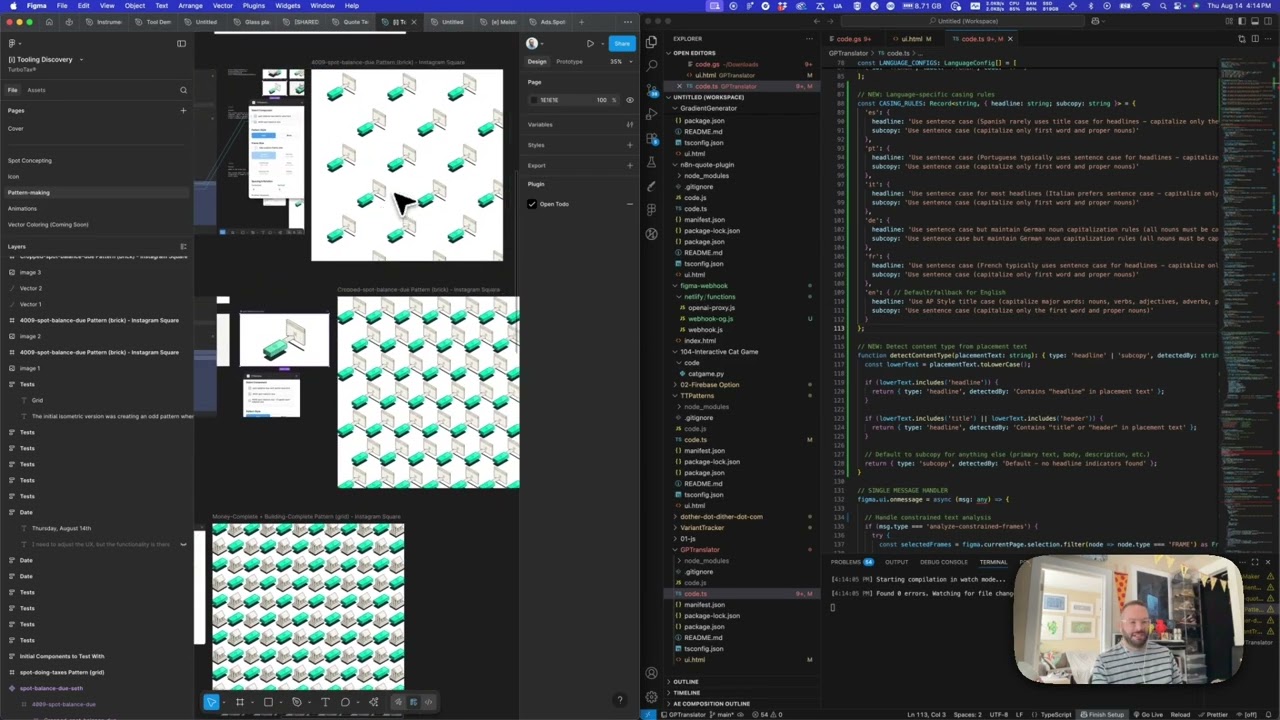
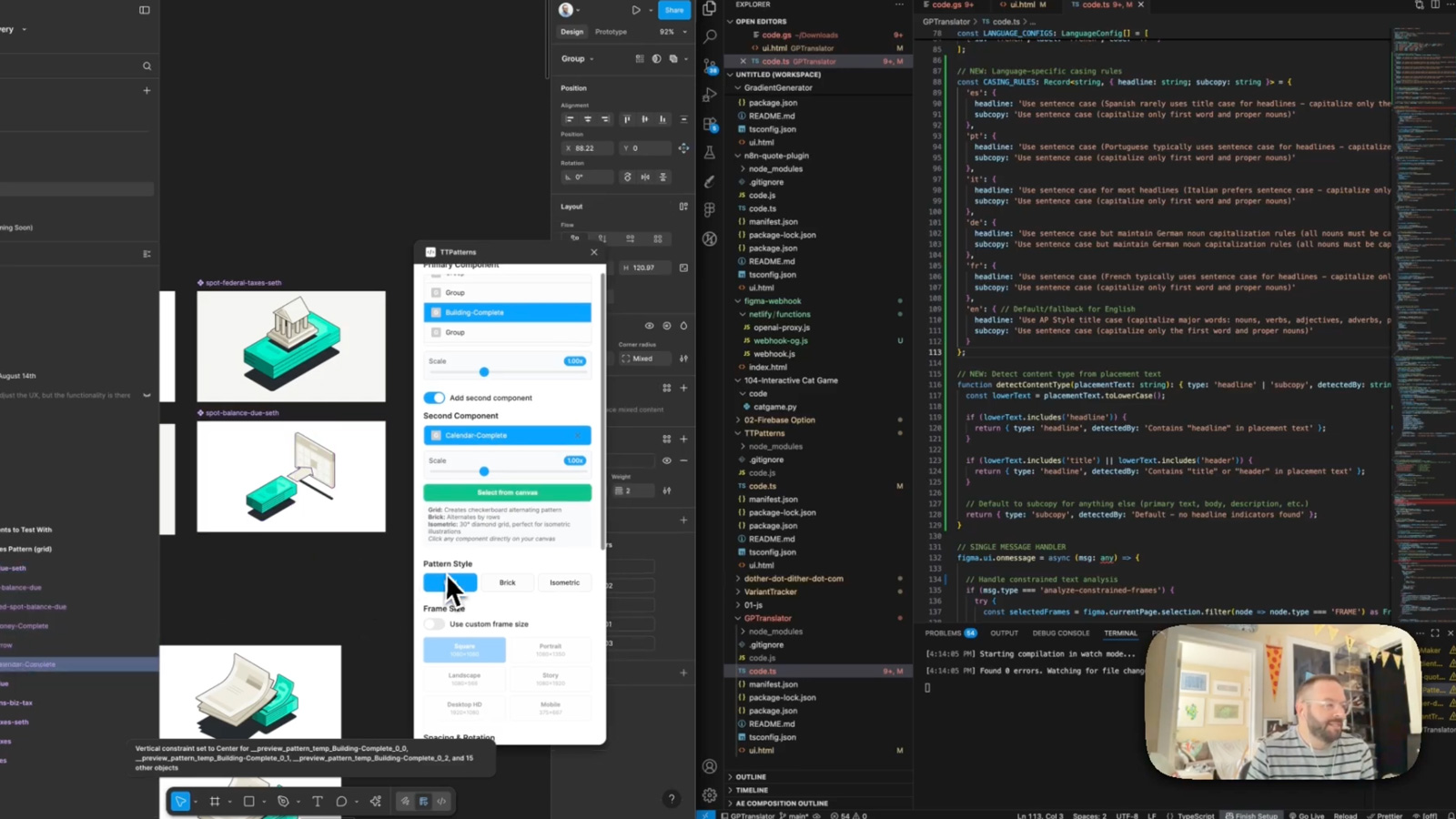
The second plugin is a pattern maker. You grab individual icons or illustrations from your Figma components and it combines them into repeating patterns — grid, brick, isometric layouts — at various social output sizes. The nice part is you can mix elements from completely different components into a single pattern, so you’re not locked into one icon set. The third plugin is an orb maker, which is probably my favorite of the three just because it’s kind of magical. It analyzes the colors in an image and generates decorative orb and bokeh overlays that match. You get controls for density and fill, so you can dial it from subtle accent to full visual texture.
Why plugins matter
All three of these came from the same instinct: designers shouldn’t have to leave Figma to do things that feel like they should happen inside Figma. Translation workflows usually mean spreadsheets and copy-paste marathons. Pattern creation usually means jumping to Illustrator. Color-matched overlays usually mean eyedropping and guessing. Each of these plugins collapses a multi-step workflow into something that happens right where you’re already working, which is the whole point of building on the Figma Plugin API in the first place.
Applying this to your project
- Copy the whole
GPTranslatorfolder as your starting point:manifest.json,code.ts,ui.html,package.json,tsconfig.json. Discardcode.jsandnode_modules— regenerate them yourself withnpm installandnpm run build(thebuildscript just runstsc -p tsconfig.json). - Get an API key from an LLM provider that OpenRouter supports (or swap the endpoint for OpenAI/Anthropic directly). Replace the hardcoded
OPENROUTER_API_KEYconstant near the top ofcode.tswith a value read fromfigma.clientStorage(set via a settings field inui.html) rather than committing it to source — the current code has no such mechanism, which is the single biggest thing to fix before reuse. - Update
manifest.json’snetworkAccess.allowedDomainsto match whatever API host you actually call — Figma will silently blockfetch()calls to any domain not listed there. Also renamemanifest.json’snameand generate your own pluginid. - Swap out the hardcoded content that’s specific to this project: the
LANGUAGE_CONFIGSarray (currently Spanish-Mexico, Spanish-Spain, Portuguese, Italian, German, French) and theCASING_RULES/ platform-tone map (LinkedIn, Facebook, Google, Twitter, Instagram, TikTok, YouTube, Pinterest) — these are where you’d plug in your own target languages or channel tone guidelines. - The real integration point for your own content is the text-element scanning logic that walks the current Figma selection, extracts
TextElementData(text, font, position, fills), and later writes translated strings back onto the same nodes — that’s the plug where “your data” (whatever’s selected in the Figma file) enters and exits the plugin. - Gotchas found while reading the code: the character-limit/platform detection (
extractCharacterLimit, the placement-vs-content matching logic) relies on naming conventions and character-count heuristics rather than explicit metadata, so it’s tuned to this project’s specific layer-naming patterns — you’ll likely need to retune or replace it for a different design system. Also note the model is hardcoded toopenai/gpt-4o-miniin two separate places incode.ts(the standard translate flow and the constrained/headline-group flow) — change both if you swap models.
Other ways to repurpose this
Product Design
- Build a tool that automatically checks whether translated or localized text will actually fit inside a designed layout, instead of catching truncation after launch.
- Offer a feature that lets someone select part of a design and get an instant, ready-to-use version of it adapted for a different audience or region.
Web Design
- Create a way for clients to preview how their site’s headlines and buttons would read in another language before any developer touches the copy.
- Build a check that flags when translated or rewritten text is too long or too short for the space it’s designed to sit in.
Marketing
- Generate ad copy variations pre-tailored to each platform’s tone and length limits (e.g., punchier and shorter for one channel, more professional for another) straight from an existing design.
- Let a team produce dozens of localized ad or campaign variants from one master design in a single pass, instead of manually duplicating and rewriting each one.
Branding
- Test how a brand’s voice holds up when translated into other languages, by keeping certain emphasized words or phrases consistent across versions.
- Apply consistent tone-of-voice rules automatically across every piece of copy in a design, no matter which platform or region it’s meant for.
Dependencies
- Role
- Creative Technologist
- Tools
- Figma Plugin API ChatGPT API Pattern Generation Image Analysis
- Metrics
- Three production Figma plugins handling translation, pattern creation, and generative overlays