Figma Variant Usage Tracker
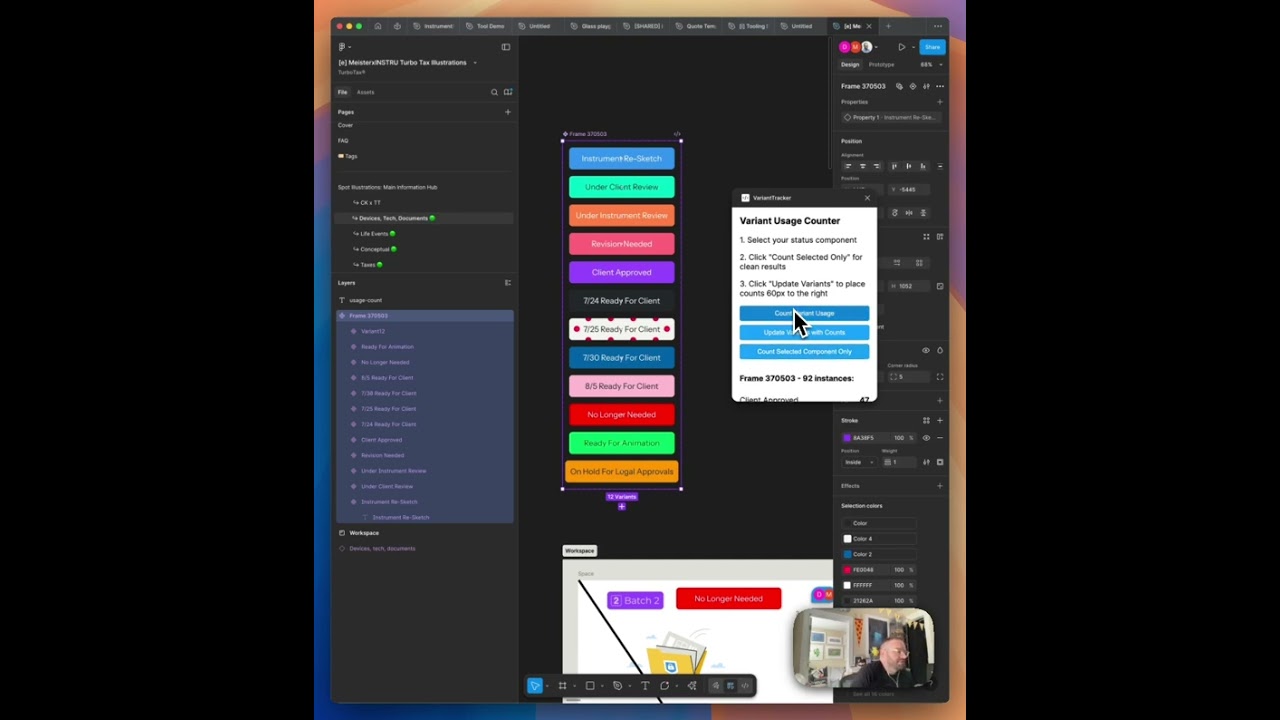
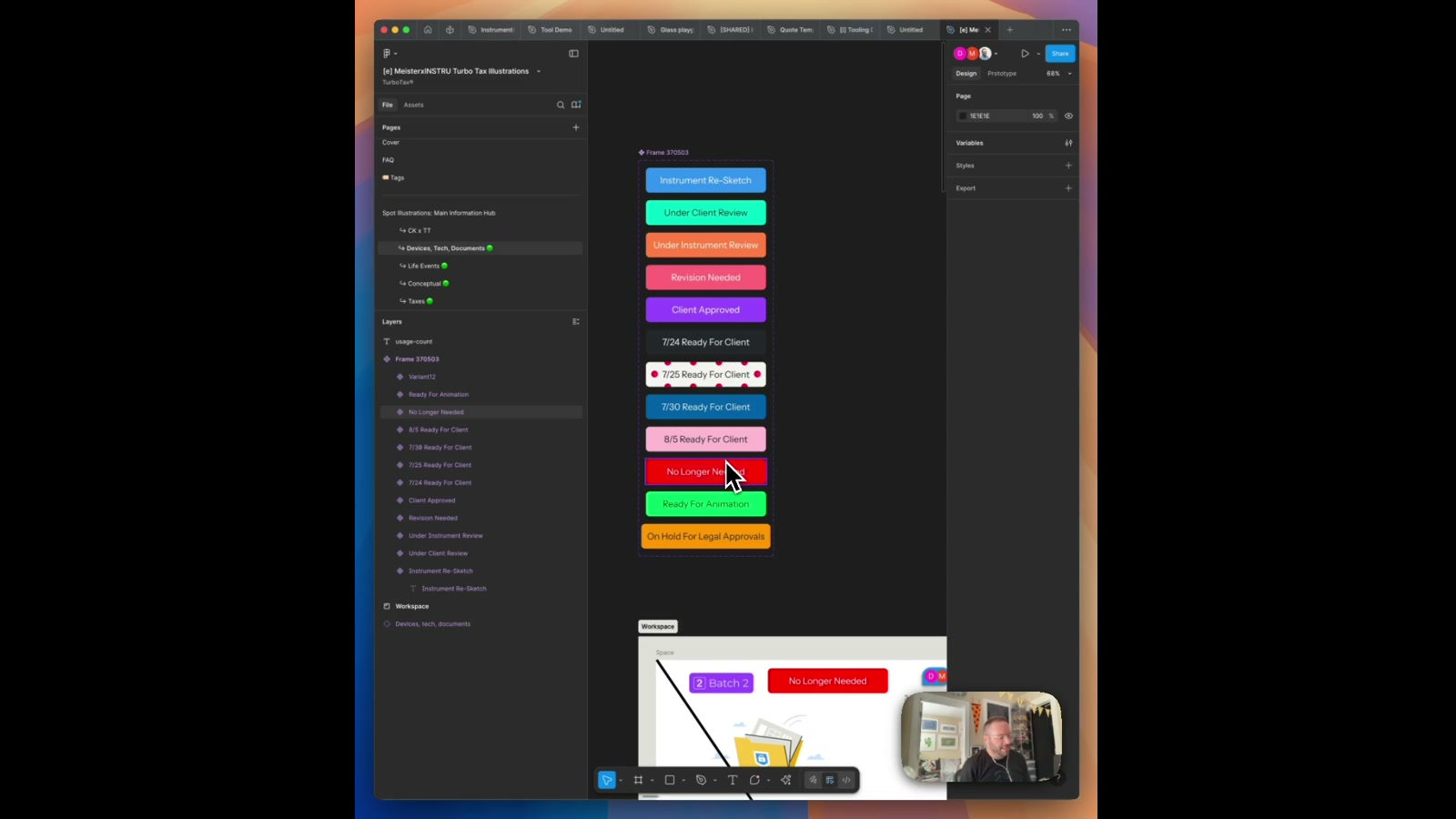
A Figma plugin that scans your entire file and counts how many times each component variant is actually used — then stamps that count directly next to the variant in your component set.
The question came up: how often is each variant in a component set actually being used across a file? There are a handful of plugins that touch on this, but they’re limited, don’t surface the data in a useful way, or cost money. So the obvious move was to build one.
How it works
Select a component or variant set, hit Count Usage, and the plugin traverses every page in the Figma file — loading all pages asynchronously — collecting every instance node it can find. It then resolves each instance back to its main component, checks whether that component belongs to a component set, and tallies the count per variant name. The result is a breakdown showing exactly how many times each variant appears across the document. From there, a second action — Add Count Labels — writes that number as a text element six pixels to the right of each variant inside the component set, giving you a live, at-a-glance reference without leaving the canvas.
The build
The plugin is written in TypeScript against the Figma Plugin API, compiled down to vanilla JS for the browser runtime. The UI is intentionally minimal: a three-step workflow card, a primary count action, a label-writing action, and an advanced mode for scanning all components in the file at once. State is tracked in the UI layer so the label-writing step always has fresh counts to work from without re-scanning.
Why it matters
Variant usage data is genuinely useful for design system maintenance. Knowing that one status label variant appears 92 times while another appears twice changes how confidently you deprecate, rename, or restructure components. This same pattern — scan, count, annotate — could extend to: design system audits where teams want to see which components are over- or under-used before a refactor; handoff documentation where usage counts surface automatically alongside specs; or component retirement workflows where zero-count variants get flagged for cleanup. It’s a small plugin, but the underlying approach of resolving instances back to their component sets and writing metadata directly into the canvas is a reusable pattern worth building on.
Applying this to your project
- Copy the whole
VariantTrackerfolder as your starting point —code.ts(plugin logic),ui.html(plugin UI),manifest.json,tsconfig.json, andpackage.json. Discardnode_modules,code.js, andpackage-lock.json— these are all regenerated by runningnpm installthennpm run build(per the scripts inpackage.json), andcode.jsis git-ignored for a reason. - No API keys or accounts to set up.
manifest.jsonhas"networkAccess": { "allowedDomains": ["none"] }, so the plugin is fully offline. If your adaptation needs to call an external service, you’ll need to add that domain toallowedDomainsand handle the request fromcode.ts(Figma blocks network calls from anywhere else in the plugin). - To make it your own: change
nameandidinmanifest.json(theidis a Figma-issued unique identifier — you’ll get a new one automatically when you create a new plugin in the Figma desktop app, so don’t just hand-copy the old one). Update the copy inside the.workflowdiv and the<h3>title inui.htmlto describe your own tool, and restyle the.button/.workflowCSS classes to match your brand colors instead of Figma’s default blue (#18A0FB). - The critical integration point is the message-passing contract between
code.tsandui.html:figma.ui.onmessageincode.tslistens fortypestrings ('count-variants','count-selected-only','update-variants'), andui.htmlsends them viaparent.postMessage({ pluginMessage: { type: ... } }, '*'), then reads results back inwindow.onmessage. Any new feature means adding a matchingtypeon both sides — if you add a button inui.htmlwithout a corresponding case incode.ts’sonmessagehandler, it’ll silently do nothing. - Gotchas found in the code: (a)
updateVariantsWithCountshardcodesfigma.loadFontAsync({ family: "Inter", style: "Regular" })and"Bold"— if the target file doesn’t have Inter loaded, or you want a different font, you must change both font-load calls or it’ll throw. (b) The count-matching logic first tries an exact match onvariant.name, then falls back to matching a single variant-property value — it does not handle component sets with multiple variant properties well (see thepropertyKeys.length > 1branch incode.ts), so counts can silently show as 0 for complex variant sets. (c) Count labels are found on re-run by searching for text nodes named`${variant.name}-usage-count`— renaming a variant or the generated label breaks the “update in place” behavior and creates duplicates instead. (d)documentAccess: "dynamic-page"plusfigma.loadAllPagesAsync()means the “Advanced: Count All Components” button loads every page in the file before scanning — this can be slow on large files.
Other ways to repurpose this
Product Design
- The same idea of scanning a whole file and quietly counting what’s actually being used could help a team see which parts of a design system are pulling their weight, so they know where to invest more polish.
- It could just as easily flag the pieces nobody touches anymore, making it easier to spot what’s safe to retire.
Web Design
- The same “scan everything, then show the results instantly” approach could power an audit tool that tells a client which page layouts or sections show up most often across their site.
- It could also automatically stamp visible counters onto a live style guide, so a client can see at a glance how much a given pattern is actually reused.
Marketing
- This kind of instant usage report could become a simple way to show a client how much value they’re getting out of a template or asset library they paid for.
- The “press a button, watch it work live” feel of the tool could anchor a hands-on demo during a pitch, letting a prospective client experience the agency’s thinking instead of just hearing about it.
Branding
- The same scan-and-count technique could be turned into a brand consistency check, showing a client how faithfully their logo, colors, or components are actually being followed across all their files.
- It could feed a simple brand health scorecard that highlights which parts of a client’s identity system are thriving versus quietly ignored.
Dependencies
- Role
- Design Engineer
- Tools
- Figma Plugin API TypeScript JavaScript