Float Availability FigJam Plugin
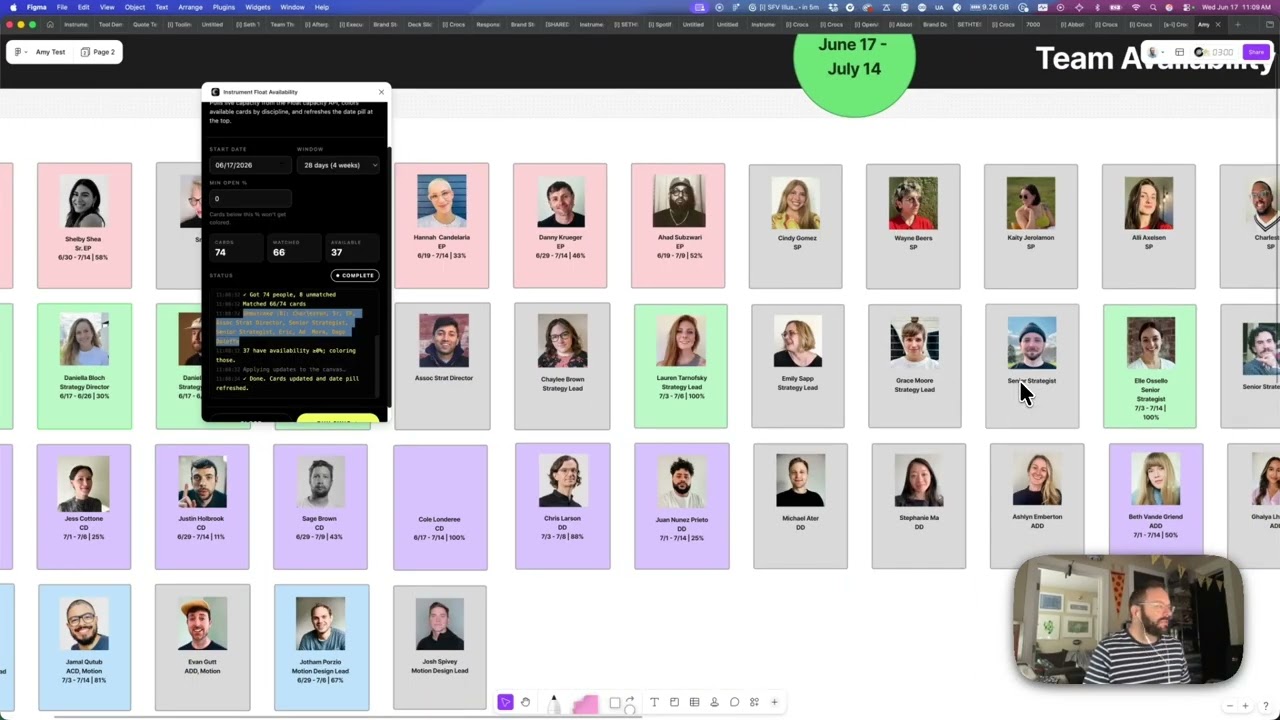
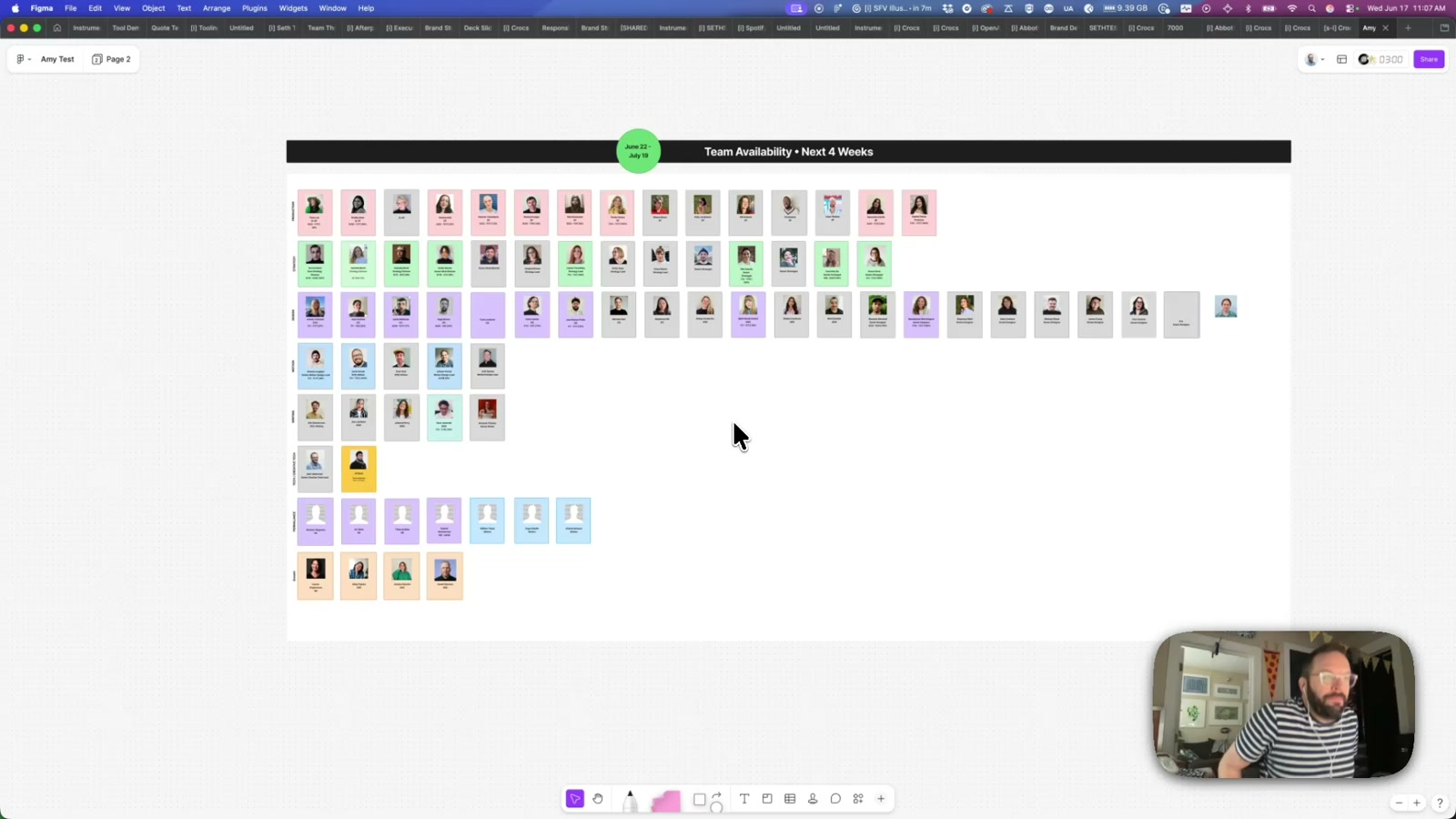
A FigJam plugin that syncs live capacity data from Float directly onto a team availability board — recoloring each person's card by discipline and appending their open hours for the next four weeks. One click replaces what would otherwise be a manual update across 60+ cards.
Team availability boards are one of those things that’s always slightly out of date. Someone updates Float, but the FigJam board stays stale — and nobody has time to manually recolor 65 cards. This plugin closes that gap: one button pull from Float, cards recolored by discipline, availability summary appended under each name.
How it works
FigJam plugin iframes run with null origin, which means Float’s API — which doesn’t send CORS headers — is completely unreachable from the client. The solution is a thin Netlify proxy that sits between the plugin and Float: the plugin posts a list of names and a date window, the function calls Float server-side, runs the capacity math, and returns clean JSON. The Float bearer token never touches the client. A shared secret in x-plugin-secret guards the endpoint.
On the canvas side, the plugin has to navigate a messier-than-expected board structure. The team availability board uses two card formats: ~65 “loose composite” cards where a SHAPE_WITH_TEXT, a photo RECTANGLE, and a single combined TEXT node (name + title separated by \n) are just siblings overlapping at the same position — not grouped — plus one actual Figma GROUP card. The detector handles both, using spatial overlap math to match text nodes to their parent shape, then caching the original name and title via setPluginData so repeated syncs don’t compound availability lines into the stored baseline.
The build
Detection bugs dominated the early development: cards returning 0 matches (the shape’s own .text.characters was empty, causing a premature rejection), then 1/66 matches (name and title aren’t two separate text nodes — they’re one node with a \n inside), then names getting silently wiped on apply (the combined node was being overwritten starting from the title line, dropping the name). Each fix is documented and locked in the context file so they don’t get re-introduced. Name matching on the Float side uses normalized first+last token matching, with a known edge case for single-word names and initials that gets resolved by correcting the on-canvas card text to match Float exactly — a manual fix, not a code change.
Why it matters
The pattern here — FigJam as a live ops surface, not just a static artifact — is the interesting thing. Float is the source of truth for capacity; FigJam is where producers actually plan work. Keeping those two in sync manually is friction that compounds every week. A plugin that bridges them means the board can be trusted again, which changes how it gets used. The same proxy architecture works for any internal API that lacks CORS support, and the card-detection approach generalizes to any FigJam board that uses photo-plus-label card patterns.
Applying this to your project
- Copy, don’t fork whole: take
Figjam Resourcing/(the plugin —code.ts,ui.html,manifest.json,tsconfig.json,package.json) andinstrument-figjam-capacity-api/(the proxy —netlify/functions/_capacity.js,figjam-capacity.js,health.js,netlify.toml). Discardfinal/(the raw screen-recording video), bothnode_modules/folders, the.netlify/local state folder, andPROJECT_CONTEXT.md/pipeline.log— those last two are portfolio-pipeline artifacts, not part of the tool itself. - Set up accounts/keys: this repo has no
.env.example— the three secrets (FLOAT_API_KEY,FLOAT_UA,FIGJAM_PLUGIN_SECRET) are set directly as Netlify site environment variables. Generate the plugin secret withopenssl rand -hex 24. You’ll need a Netlify account (for hosting the proxy) and an account with whatever data source you’re pulling from (Float, or its replacement). - Swap for your own branding/data: the
ENDPOINTandSECRETconstants hardcoded near the top ofui.html’s<script>block (around line 299) must be regenerated — don’t reuse the committed values. TheKNOWN_ROW_LABELS/row-color maps incode.tsand the matchingROW_COLORSobject inui.htmlare your board’s category labels and hex colors — replace both with your own team/discipline structure. Updatemanifest.json’snetworkAccess.allowedDomainsto point at your new Netlify domain. - Where your data plugs in:
findGreenPill,findRowLabels, andlooseShapeToCardincode.tsare the “reader” that scans the FigJam canvas — this is the part you likely keep as-is._capacity.js(specificallymatchPerson/normalizeName/capacityForNames) is where an external data source’s records get matched to the names on the board — this is the part you replace if you’re pulling from something other than Float. The contract between plugin and proxy (POST { startDate, days, names }in,{ people, unmatched }out) is the seam to preserve so you only have to rewrite one side. - Gotchas from reading the code:
- FigJam’s plugin sandbox is QuickJS-based and can’t parse
??/?.— you must bundle with esbuild targetinges2017(or avoid syntax it can’t downlevel). - There’s no npm build script — after every
code.tsedit you must manually runnpx esbuild code.ts --bundle --outfile=code.js --target=es2017. Figma auto-reloadscode.jsfrom disk on next run, but it will not rebuild it for you. - The card-detection logic assumes a very specific board convention (loose shape + one overlapping text node split on
\n, vs. a rare grouped 2-text-node card). A different board’s actual structure needs to be re-verified with therecon.jsdiagnostic plugin before assuming this detection code will just work. - The plugin secret and endpoint URL are hardcoded in plaintext directly inside
ui.html, a client-visible file — fine for a private internal team tool, but don’t copy this pattern into anything with a wider audience. - The proxy’s pagination loop exists because the external API silently caps
per-pageat 200 and would otherwise return a fraction of the real data — preserve an equivalent “walk pages until short page” loop for any similarly paginated data source.
- FigJam’s plugin sandbox is QuickJS-based and can’t parse
Other ways to repurpose this
Product Design
- Give a status board the ability to refresh itself from a real live data source instead of someone manually retyping it every week.
- Build a small connector that lets one tool talk to another tool your team already relies on, without waiting on an official integration from either vendor.
Web Design
- Show a client’s actual, current business numbers right inside a mockup or planning view so it never looks stale in a client review.
- Use a simple color-coding system so a busy board communicates status at a glance — available versus booked, done versus not-done — without anyone reading labels.
Marketing
- Automatically refresh a recurring internal report, like team capacity or campaign status, so nobody has to manually assemble it before a meeting.
- Turn a plain list of names, projects, or tasks into a color-coded visual snapshot that’s easier to present to clients or leadership.
Branding
- Carry a consistent visual identity — colors, type, a small wordmark — into even the smallest internal tools, so every touchpoint someone uses feels like the same company made it.
- Use small automatic visual cues, like a card changing color, to reinforce a brand’s personality even in purely functional, behind-the-scenes tools.
Dependencies
- Role
- Design Engineer
- Tools
- FigJam Plugin API TypeScript Netlify Functions Float API ESBuild
- Metrics
- Automates availability updates across 65+ team member cards in a single sync.