AI Sales Deck Generator
A Google Sheets-powered presentation engine that auto-generates fully populated, client-ready Uber for Business sales decks on demand — swapping copy, data, charts, and slide logic without anyone touching the source file.
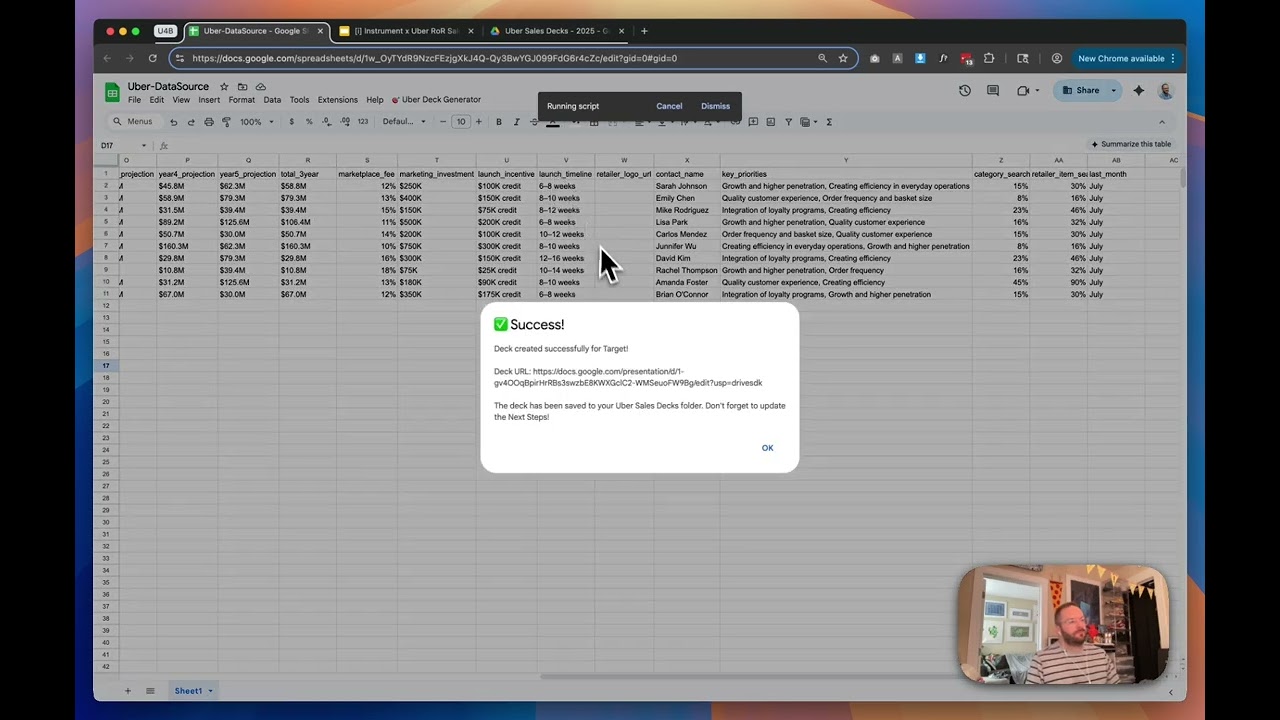
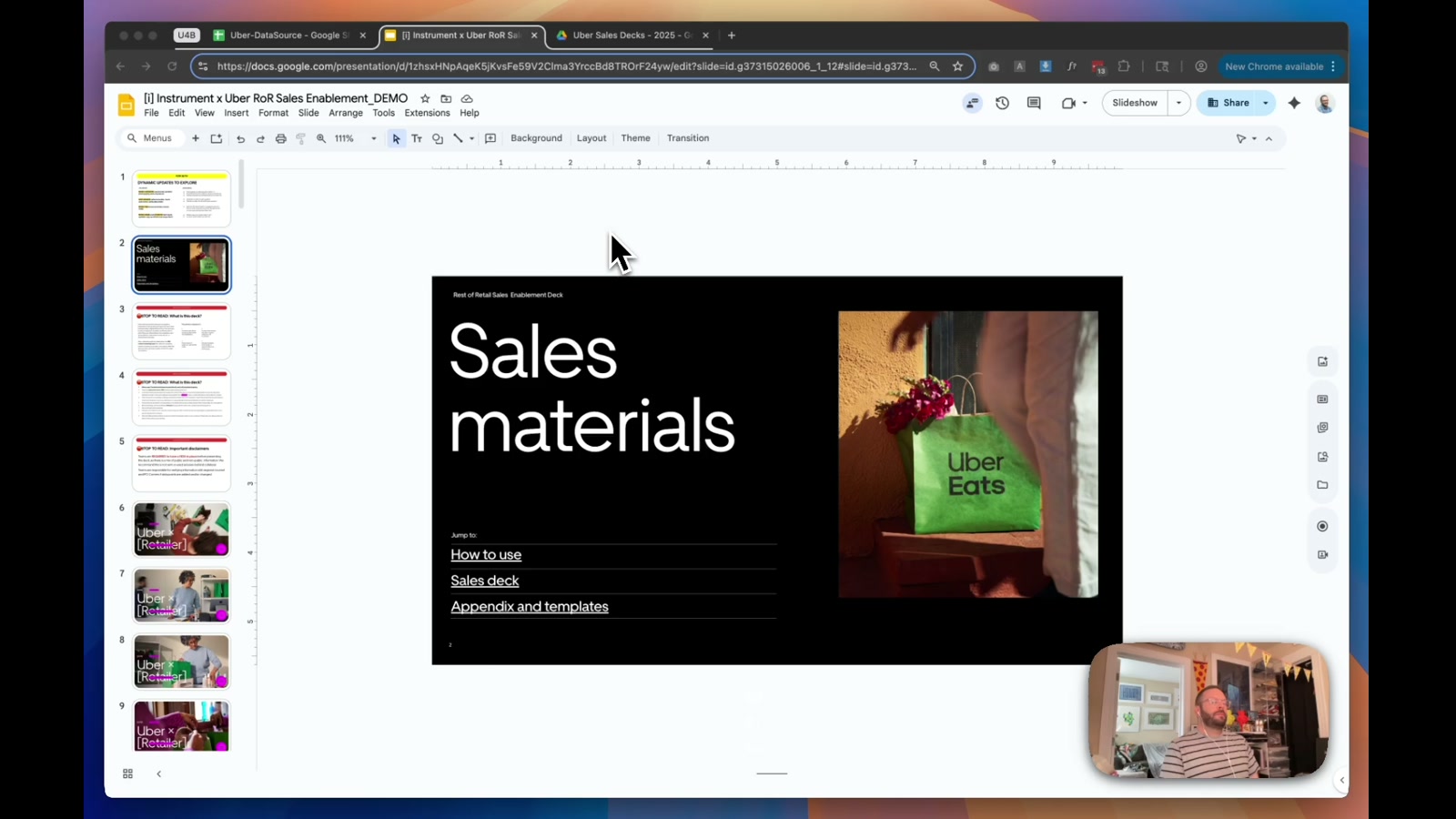
Sales decks are one of those things that should be fast to produce and almost never are. Every rep is manually hunting through slides, swapping out retailer names in magenta-highlighted fields, hoping they didn’t miss one. This tool eliminates that entirely — a single click generates a fully customized deck, populated from a central Google Sheets database, named correctly, and dropped into the right folder.
How it works
The system has two modes: manual and automated. In manual mode, the master deck guides contributors with clear visual cues about what needs updating per vertical — a well-structured fallback for fine-tuned, one-off presentations. In automated mode, a Google Sheets database acts as the control layer. Rows represent retailers; columns hold everything from merchant tier and projected sales figures to contact names, launch timelines, and key priorities. A custom Apps Script reads that data and populates the deck — text fields, bar charts that dynamically resize based on value relationships, and slide visibility logic that includes or excludes content based on meeting type or audience tier.
One detail I’m particularly proud of: the bar charts aren’t static images. They’re built to scale proportionally relative to each other, so the visual relationships stay honest even as the underlying numbers change per client. Presentation length is also a controllable variable — you can generate an abbreviated deck pre-configured for a 15-minute CEO meeting, with only the slides that perform best for that context.
Why it matters
The implications here go well beyond sales decks. This same pattern — a spreadsheet as a no-code CMS driving a templated document — applies anywhere a team produces high-volume, structured outputs: partner onboarding kits, quarterly business reviews, retail pitch materials, agency client reports. The Google ecosystem makes it accessible without requiring any infrastructure beyond tools teams already use.
The design constraint I held onto throughout: the person running this doesn’t need to be technical or visually confident. They pick a retailer, set a date, click generate. The deck lands in the right folder, stripped of all the editorial scaffolding, ready to present. The one intentional gap — next steps — stays manual, because that’s the part that’s genuinely bespoke to each meeting. Everything else shouldn’t be.
Applying this to your project
-
Clone the core, skip the scaffolding. Copy
code.gsinto a new Apps Script project bound to your own Google Sheet (Extensions → Apps Script). Discard the diagnostic and test functions — anything prefixeddiagnosticortest, plus the five superseded magenta-removal variants (removeMagentaElements,removeMagentaElementsConservative,removeMagentaElementsTargeted,removeMagentaElementsExpanded,removeMagentaElementsComplete). OnlyremoveAllMagentaElementsis actually wired into the live flow (called fromcustomizeUberSlide). The01-Figma Filesfolder is source design reference only — it isn’t read by the script. -
No API keys needed, but two IDs are required. In the
CONFIGobject at the top ofcode.gs, replaceTEMPLATE_IDwith the file ID of your own Google Slides master deck, andDATA_SHEET_IDwith the ID of the Sheet holding your row-per-client data. The first run will prompt for standard Google OAuth consent (Sheets/Slides/Drive access) — no external service or credential is involved. -
Swap the placeholders, not just the copy. The token map in
applyUberReplacements(e.g.[Retailer],[Category],[BG Photo],[priorities]) only works if your own template deck contains matching bracketed placeholders in its text boxes. TheSLIDE_RULESblock (universal,vertical_slides,tier_slides,length_slides) hardcodes slide numbers from this specific 99-slide Uber deck — you’ll need to re-index these to match your own template’s slide order. Same forCHART_CONFIG’s bar x/y coordinates (in inches) — these were measured against one specific chart graphic and won’t transfer to a differently sized chart. -
Your data plugs in through the Sheet’s header row.
getRetailerDatamatches column headers to field names used everywhere downstream (retailer_name,vertical,merchant_tier,presentation_length,year1_projection…year5_projection, etc.) — add or rename columns there, then reference the new field names insideapplyUberReplacementsandupdateBarChart. -
Gotchas found in the code:
addRetailerLogo,applyVerticalStyling, andaddUberCustomContentare empty placeholder functions — they log a message but don’t actually insert a logo or apply styling, despite being listed as features in the in-app Help dialog.showSingleDeckDialogtries to load an HTML file calledSingleDeckDialogthat doesn’t exist in this project; it silently falls back to plain prompt boxes (showSimpleSingleDeckDialog) via a try/catch, so the polished dialog UI never actually appears.formatPrioritiesListis defined twice in the file — the second definition silently wins, so only the dash-bullet formatting ever runs. Worth cleaning up if you extend it.- The magenta-marker technique itself (give placeholder shapes in your template a distinct, unlikely-to-be-used fill color, then find-and-delete any shape with that fill at generation time) is a genuinely reusable pattern for marking “delete this” regions in any template-based generation script.
Other ways to repurpose this
Product Design
- Turning one master template into dozens of tailored versions automatically, based on just a few input choices, instead of manually duplicating and editing each one by hand.
- Marking placeholder or “sample” content in a design file with a hidden signal color so it always gets cleaned up automatically before a client ever sees it.
Web Design
- Auto-generating a personalized landing page or one-pager for each prospect or client by pulling their details from a shared spreadsheet.
- Giving a non-technical teammate a simple menu to pick options from and get back a finished, on-brand file, without them ever opening the design software.
Marketing
- Producing a large batch of personalized sales presentations for different accounts or industries in one run, with each one still feeling individually made.
- Automatically redrawing chart visuals inside a presentation to reflect each client’s real numbers, so every pitch shows accurate data without anyone manually resizing bars.
Branding
- Building tier- or segment-specific versions of a master brand deck while keeping a single source of truth that’s easy to update everywhere at once.
- Making sure brand rules, like which numbers get bolded, survive automatically even after content gets swapped in, so decks stay on-brand without manual review every time.
Dependencies
- Role
- Design Engineer
- Tools
- Google Slides Google Sheets Google Apps Script Google Drive